Wrong and lost orders
A badly written ticket, an order shouted across a busy room. Guests order from the menu themselves, so the kitchen gets exactly what they chose.
Self-ordering system for restaurants and cafés
Guests order from their own phone, the order lands in the kitchen instantly, and they watch every step until the food arrives. Fewer waiters, fewer mistakes, more orders.
If any of these sound familiar, this system was built for you.
A badly written ticket, an order shouted across a busy room. Guests order from the menu themselves, so the kitchen gets exactly what they chose.
A large part of a waiter's time goes into taking orders and walking them to the kitchen. When guests order themselves, the same team serves more tables.
During the rush, guests wave and nobody sees them. With a QR menu they order the moment they sit down.
Lost addresses and drivers you can't locate. Orders come in with the address, the system assigns a driver, and the guest follows the driver on a map.
No technical skills and no new hardware needed.
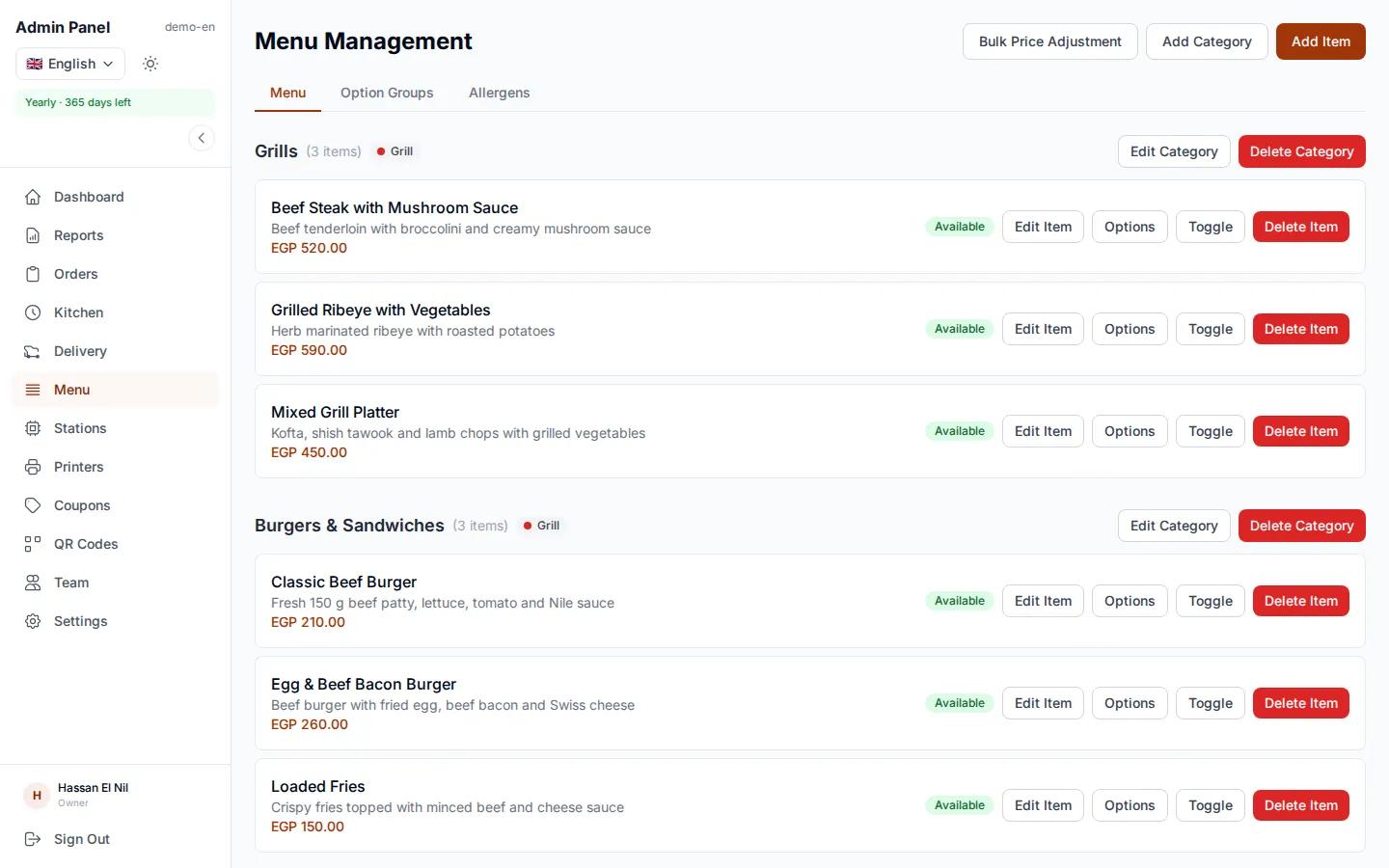
Take a photo of your printed menu and send it. We enter the items, prices and photos for free. Or add them yourself from the dashboard.
One code per table, one for pickup and one for delivery. Put them on tables or at the door.
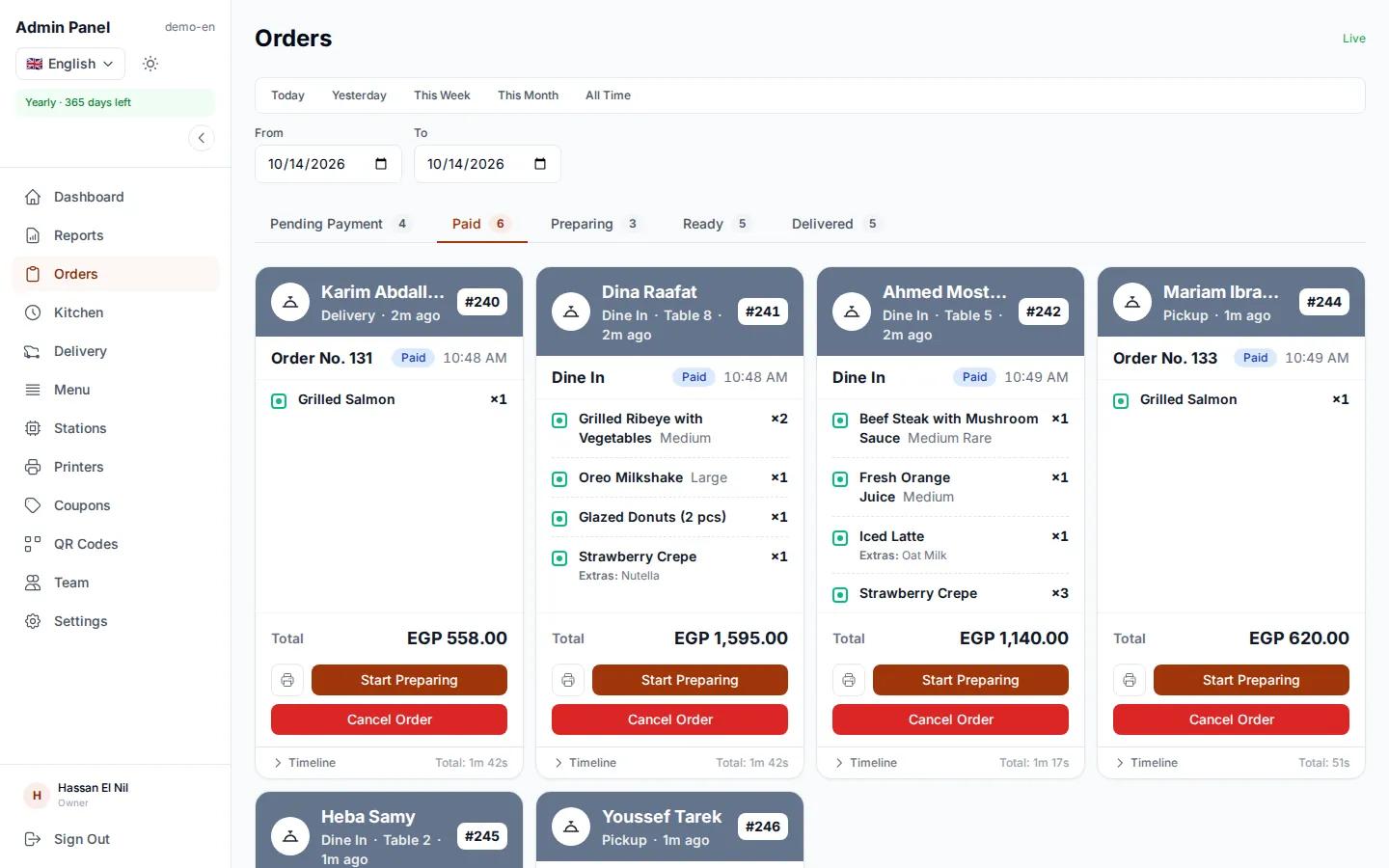
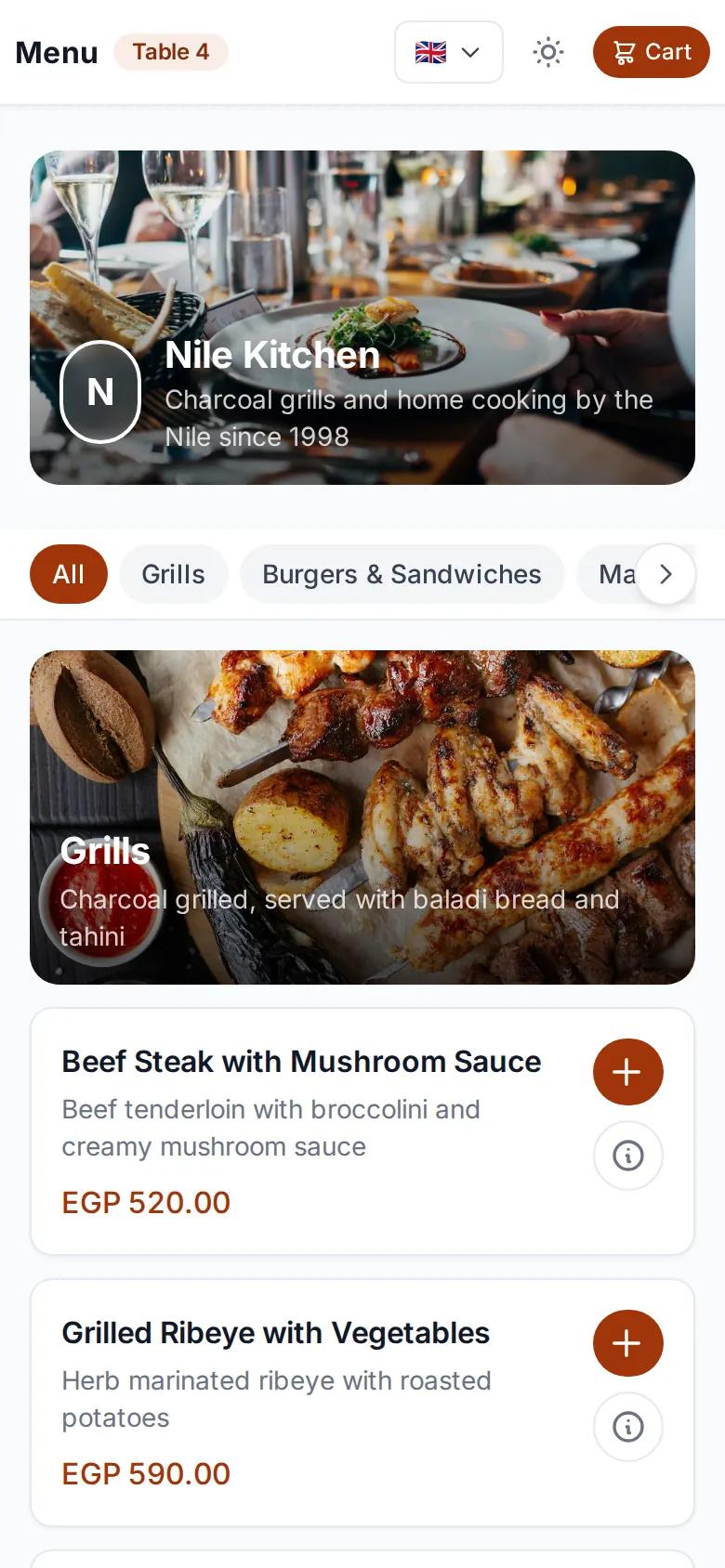
Guests scan, choose and order. The order appears on your orders board and kitchen display instantly.
What your guests notice first
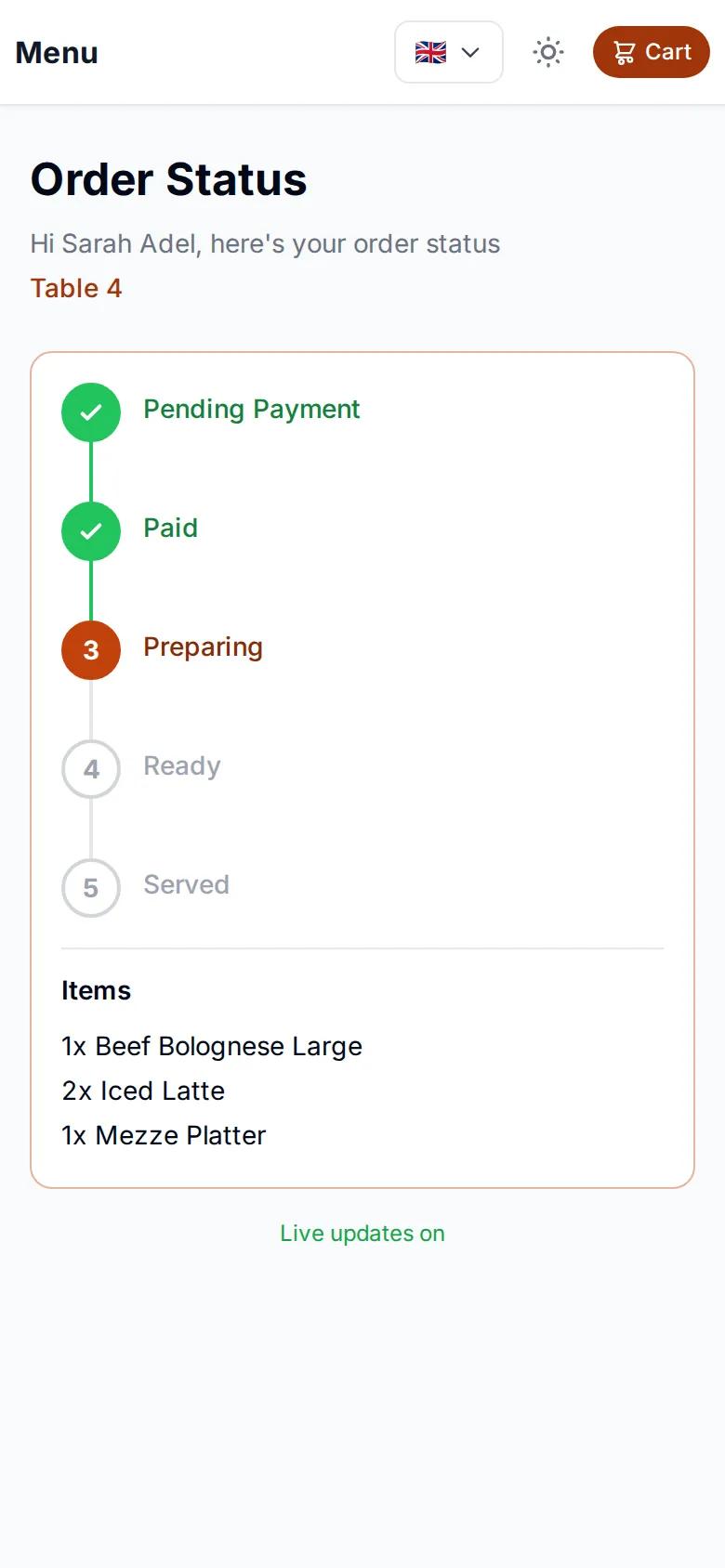
After ordering, guests get a tracking page that updates on its own. They see that the restaurant received the order, that it is being prepared, that it is ready, and for delivery, where the driver is on the map. No more "where's my food?" at the table, and no more calls asking where the order is.
The driver step appears on delivery orders only.
From the moment a guest scans the code to the end-of-day report.
Most QR menus are a page of photos, and the guest still has to call a waiter to order. With egymenu, guests order right from the QR menu: they pick the item, size and extras, add a note, and send the order with the table number captured from the code. The system calculates prices itself, so totals are always right. Any change you make to items or prices shows up for guests immediately, with no reprinting.
Every order appears on the orders page, grouped by status: pending payment, paid, preparing, ready, delivered. The kitchen runs a live kitchen display on any tablet or computer, and the cook moves each order forward with one tap. Every tap updates the guest's tracking page, so they know where their order is without asking anyone.
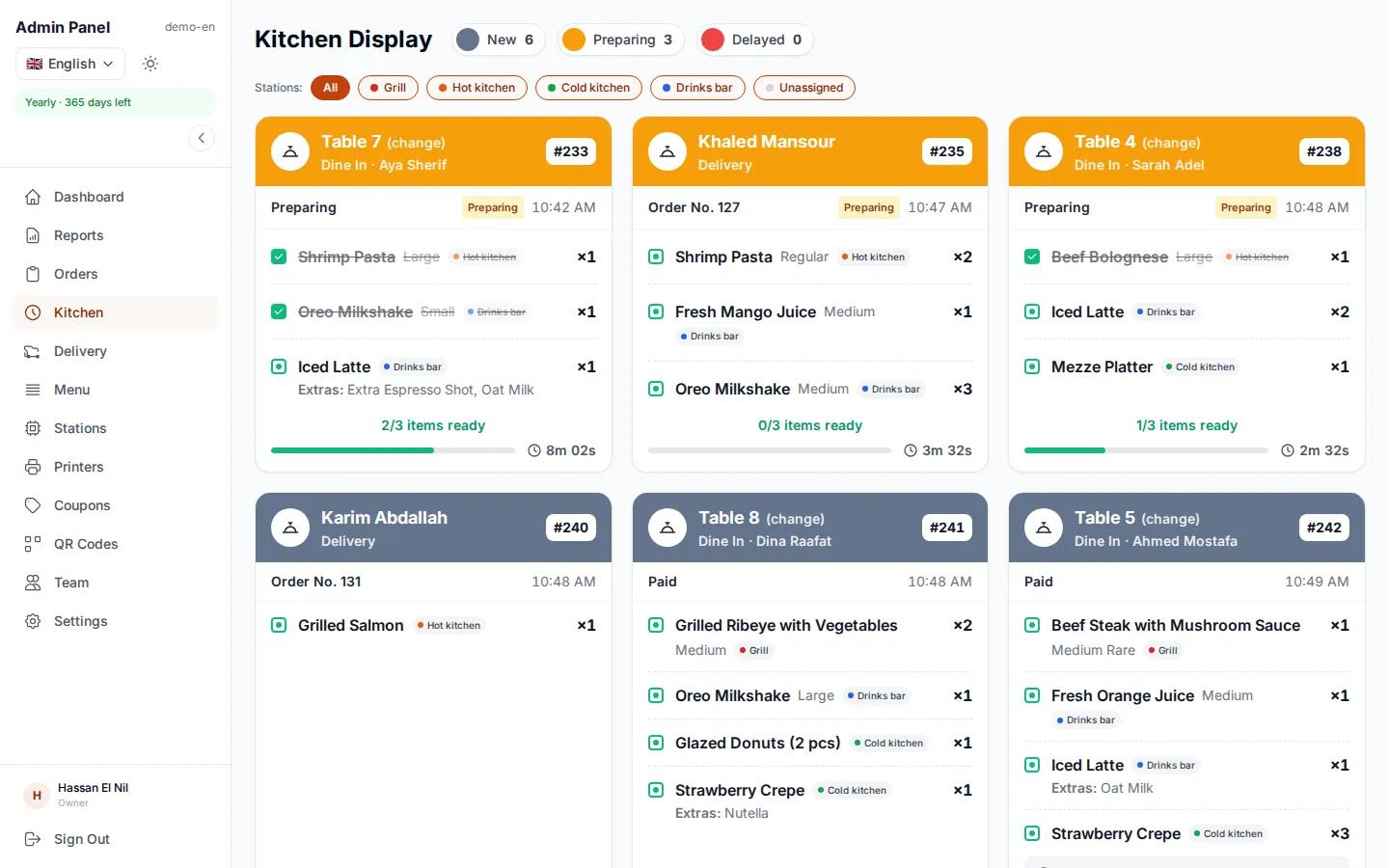
If your kitchen has a grill, a cold station and a drinks bar, each station sees only its own items on its screen, and the order is marked ready automatically when every station has finished its part. If you prefer paper, each station gets its own ticket on its kitchen printer, and an itemized guest receipt with prices prints from a computer in the restaurant. All it takes is a small program, installed once on a computer in the restaurant. It works with standard thermal receipt printers, and a printer problem never holds up an order.
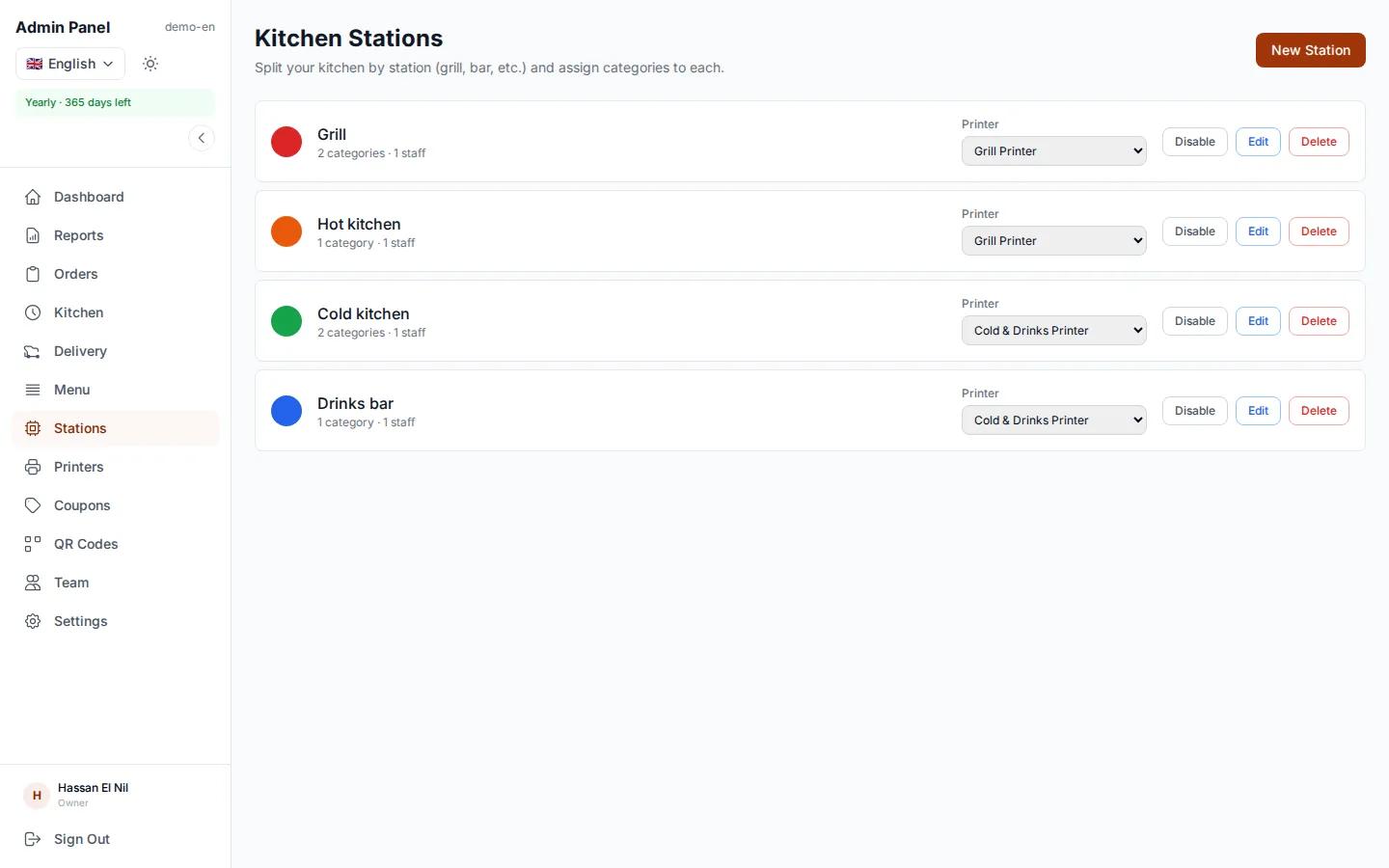
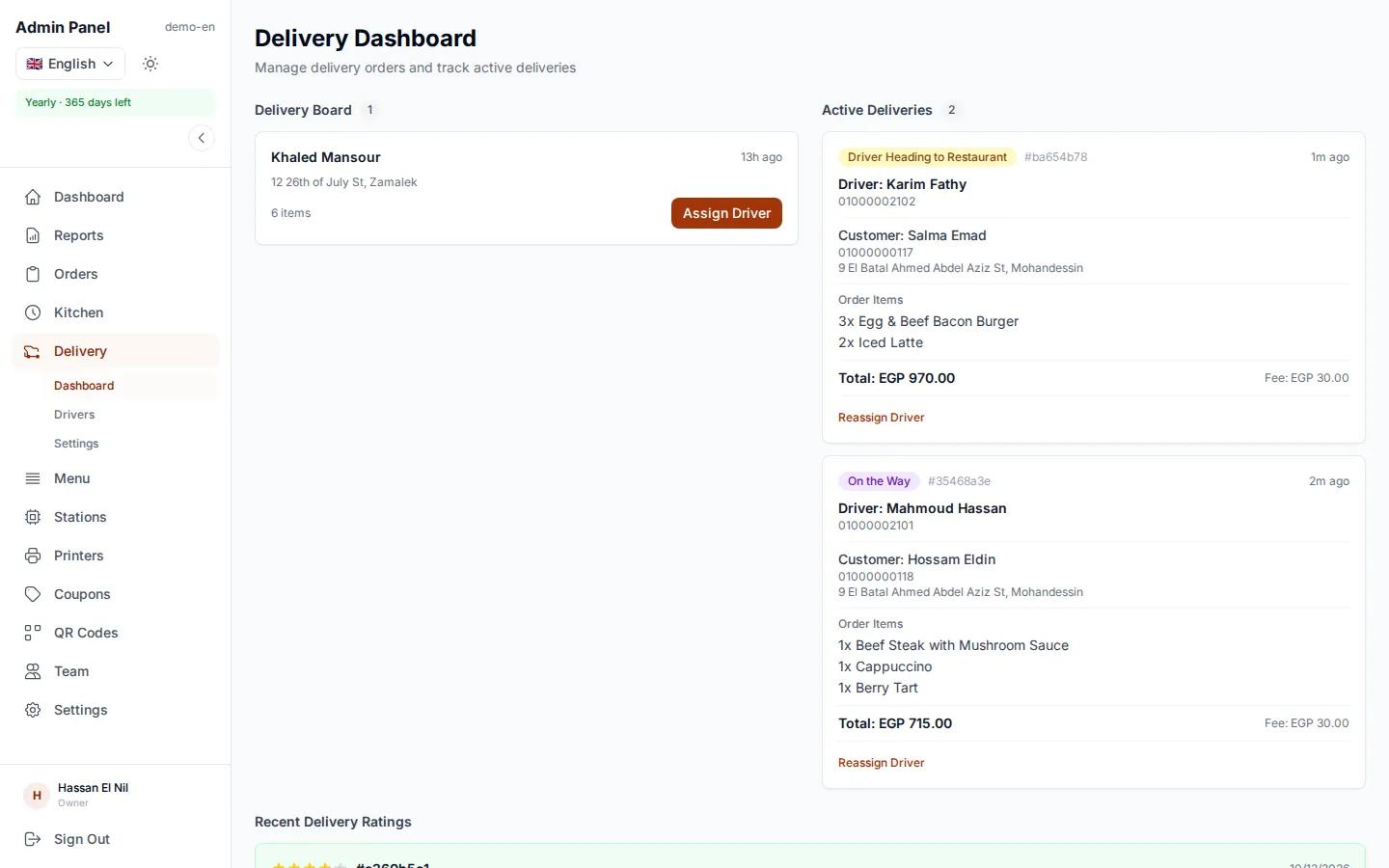
When a delivery order is ready, the system picks the best driver based on distance, rating and current load, and sends the order to the driver app. If they decline, it moves to the next driver on its own. You can also assign a driver by hand. Guests see the driver live on a map until the driver arrives, then leave a rating. Not doing delivery? Switch the module off and it disappears from every screen.
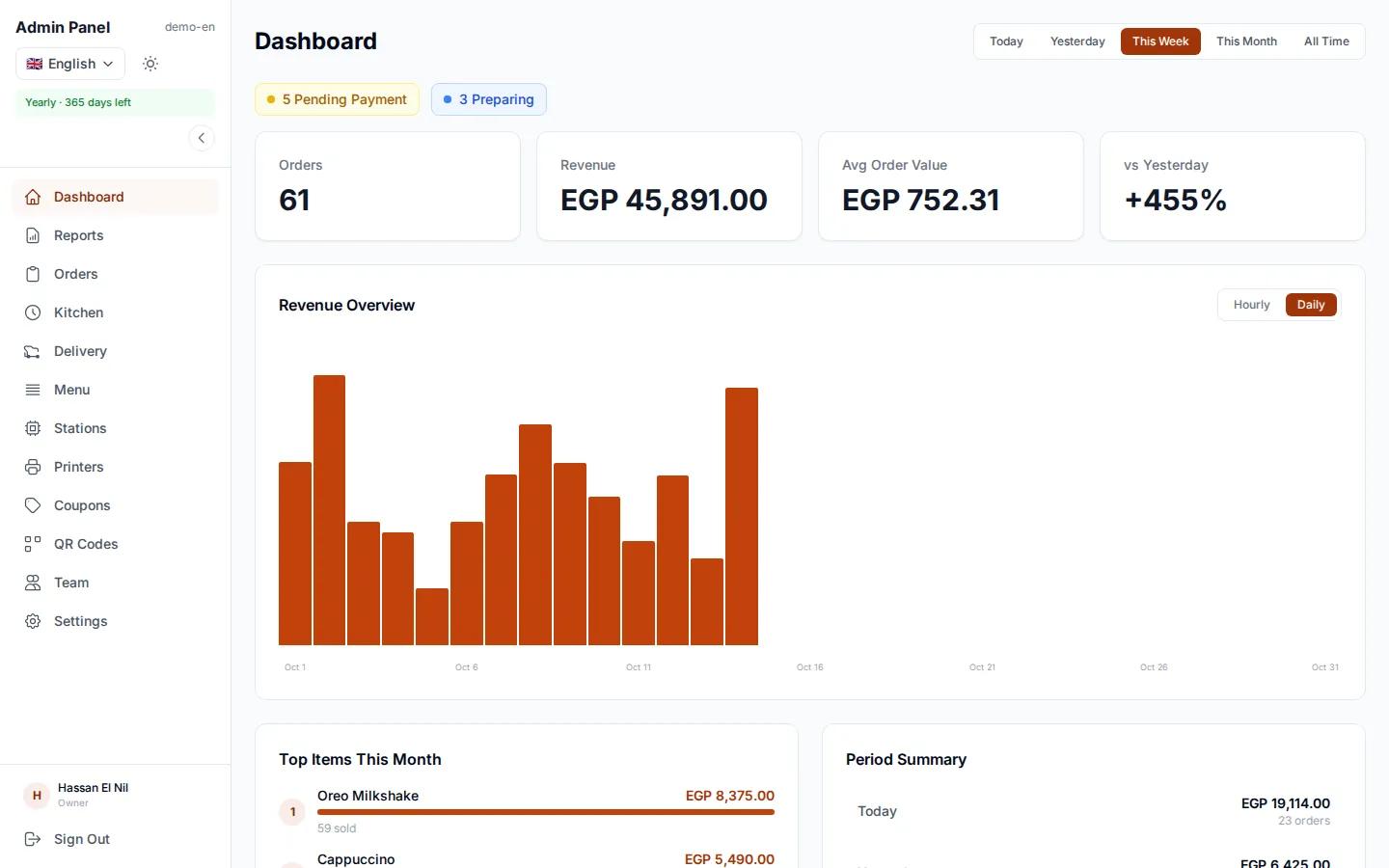
The dashboard shows revenue, orders, your top items and your peak hours. Reports give you sales and orders for any period, day, week or month, and download as PDF, so you plan staff and stock on numbers instead of guesses.
Real screenshots from a demo restaurant.
Any place that serves food or drinks where guests can order from their phone.
A code on every table. Guests order, and order again, without calling anyone.
Table and takeaway orders from the same menu, and the bar sees only drinks.
A delivery menu, drivers, automatic assignment and tracking for guests.
A code at the door. Guests order and pick up without a queue.
We keep encrypted daily, weekly and monthly backups of your restaurant's data on servers in 3 European countries. Each restaurant's data is separate, and every staff member signs in with their own permissions.
Every plan includes a 7-day free trial and no commission on orders.
$50
per month
Month to month, no long-term commitment.
Instead of $300
$250
for 6 months· Save 17%
Billed once every 6 months.
Instead of $600
$500
for 12 months· Save 17%
Billed once a year.
Multi-kitchen stations and per-station printing are enabled per restaurant. Ask us which plan fits you.
Send us a photo of your printed menu. We enter the categories, items and prices, you review and go live.
Didn't find your question? Get in touch.
egymenu is a restaurant ordering system built around self-ordering. Guests scan a QR menu and order themselves, the order reaches the orders board and kitchen display instantly, and guests track it step by step. It also includes per-station printing, delivery with your own drivers, and sales reports.
No. egymenu is not a POS where staff ring up orders by hand. The idea is that guests order from their own phone, so you need fewer waiters. With printing enabled, an itemized receipt with prices for the guest still prints from a computer in the restaurant. You keep issuing your official tax receipts from your own register.
No. Guests scan the code with their phone camera and the menu opens in the browser, ready to order.
No. The orders board and kitchen display run on any phone, tablet or computer with a browser. A printer is optional if you want paper tickets.
Yes. A small program installs once on a computer in the restaurant (Windows, macOS or Linux) and prints a ticket per station on its own printer, plus an itemized guest receipt with prices. It works with thermal receipt printers, and an offline printer never blocks an order.
No. You pay a flat subscription and we take no cut of your orders, however many you get.
Guests choose cash, QR payment or card on the terminal, depending on the payment methods you enable for your restaurant.
The monthly plan is $50 per month, the 6-month plan is $250 instead of $300, and the yearly plan is $500 instead of $600. The longer plans save 17% compared with monthly, and every plan includes a 7-day free trial.
7 days to try the system in your restaurant with your real menu. After that you choose the plan that fits you.
Yes, for free. Send us a photo of your printed menu and we enter the categories, items and prices. You review and edit as you like.
Yes, any time from the dashboard. Changes show up for guests immediately, without reprinting menus or codes.
The menu supports 15 languages: Arabic, English, German, French, Italian, Spanish, Dutch, Polish, Hungarian, Romanian, Czech, Danish, Chinese, Korean and Japanese, and guests pick their language. You choose which languages appear, and Arabic displays right to left.
After ordering they get a tracking page that updates on its own: received, preparing, ready, delivered. For delivery they also see the driver on a map.
The system picks the best driver by distance, rating and current load and sends the order to the driver app. If they decline, it goes to the next one. You can assign by hand, or switch delivery off entirely.
Yes. You link each menu category to a station, such as the grill or drinks, and each station sees only its items. The order is ready when every station has finished.
We keep encrypted daily, weekly and monthly backups on servers in Switzerland, Germany and Finland.
Try egymenu free for 7 days, and we'll set up your menu.