Ordering system for fast food and takeaway A fast food ordering system that skips the queue

egymenu is a fast food ordering system where guests order for themselves from their phone. You put the pickup code on your door, guests scan it, the menu opens in the browser with no app, and they choose their meal and send the order from wherever they are standing. It reaches the kitchen display the moment it is placed, and guests follow it on their phone until it is ready. No queue at the counter, and no mistakes from orders taken in a hurry. Plans start at $50 a month with no commission on orders, and there is a 7-day free trial.

Last updated:

egymenu.com
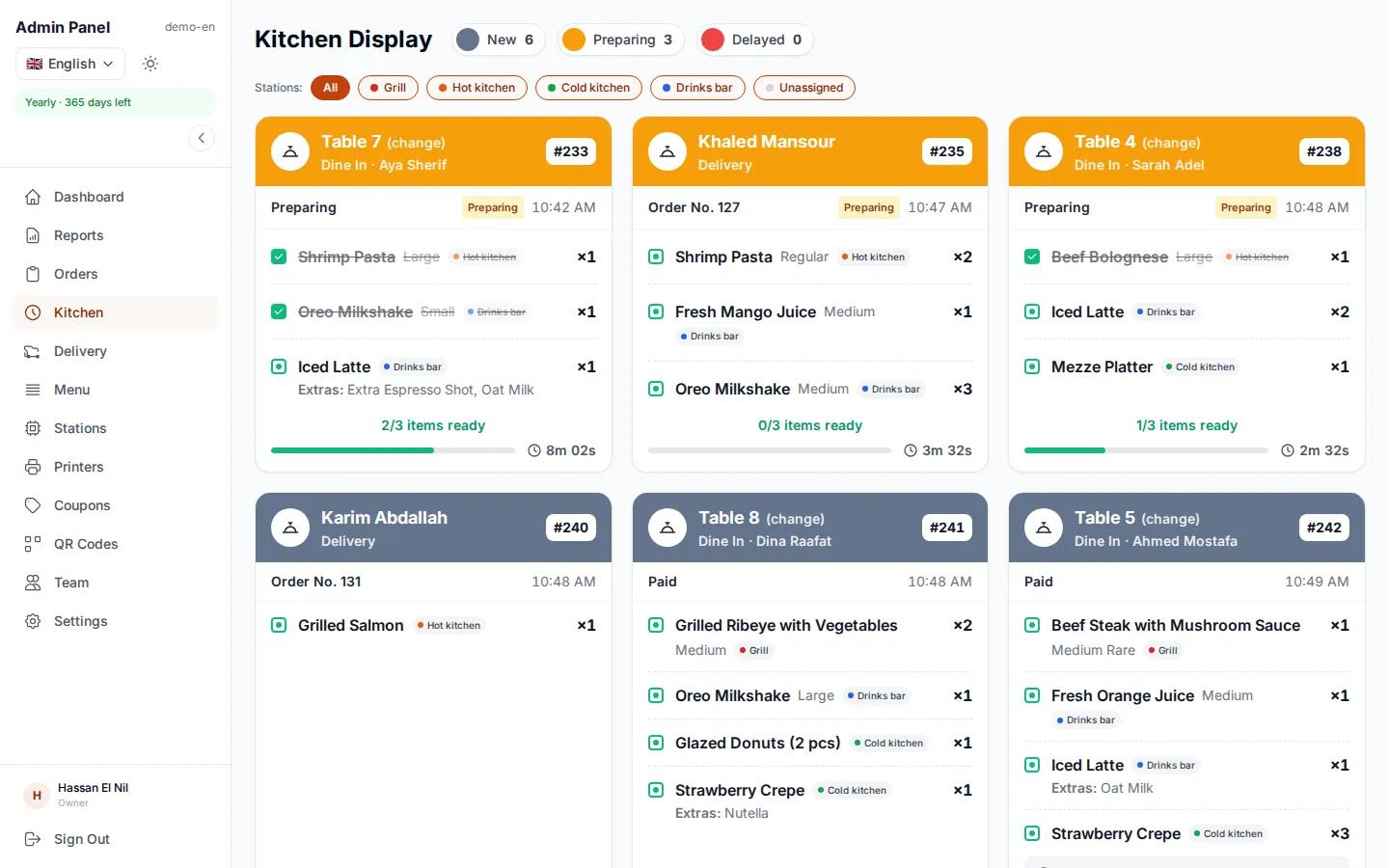
Kitchen display at a demo fast food restaurant
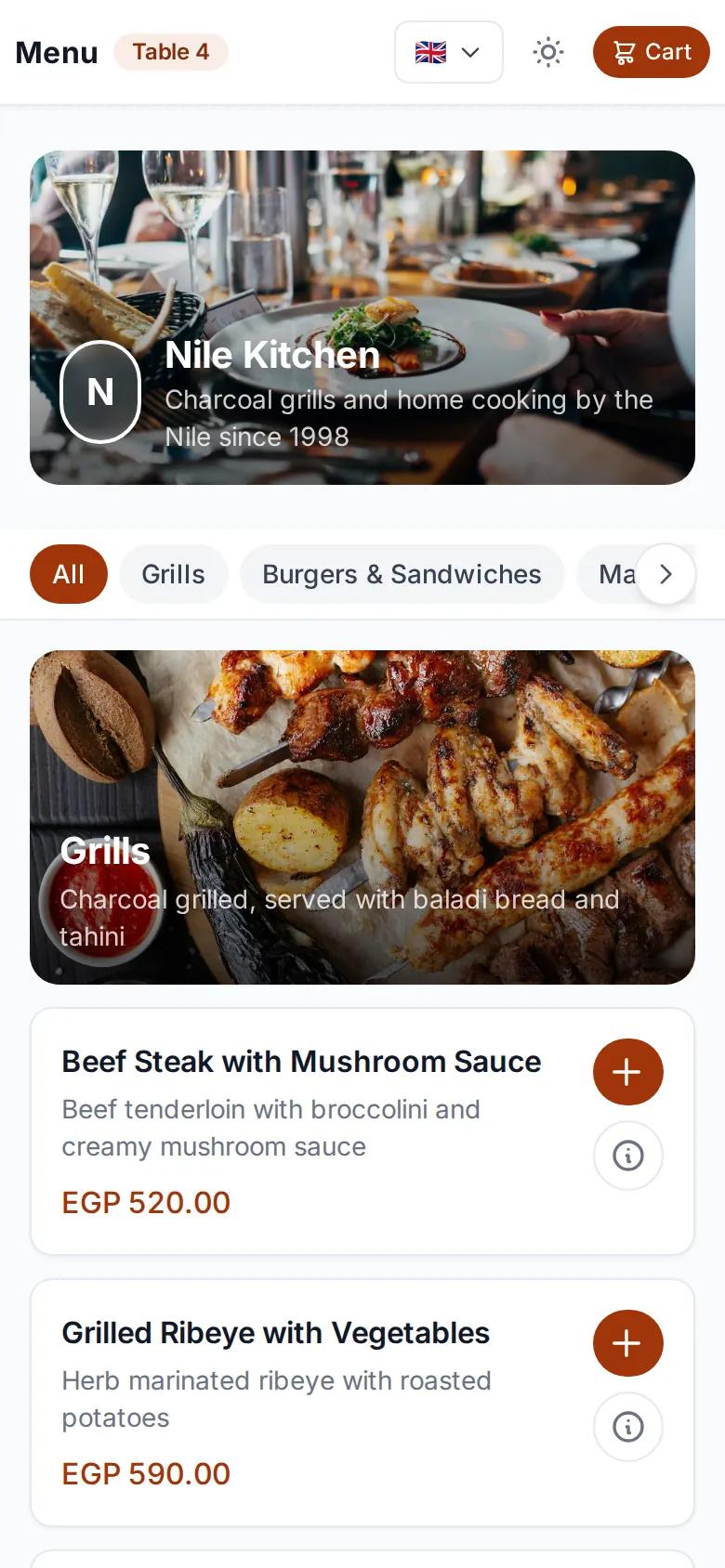
Fast food menu on a guest's phone after scanning the code
New pickup orderJust reached the kitchen

A code at the door instead of a queue

At peak time the line gets long, and some people give up before they reach the counter. With a pickup code on the door, everyone orders from their phone at once, without waiting their turn. If you have tables, each one gets its own code, and there is a delivery code too.

  • A pickup code on the door
  • A code per table, if you have them
  • A delivery code for your social media pages
egymenu.com
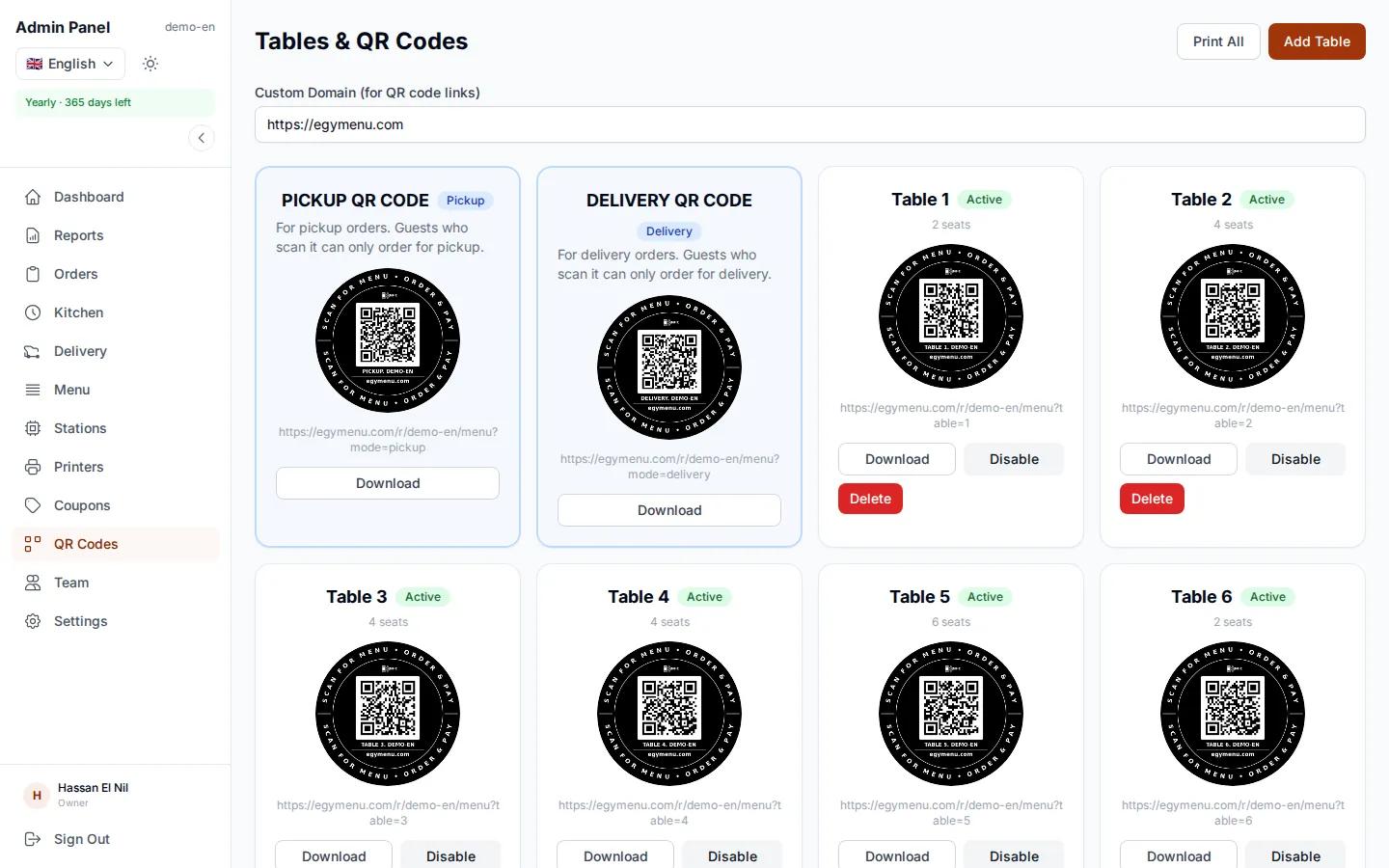
Pickup and table QR codes in the dashboard

The meal the guest wants, at the right price

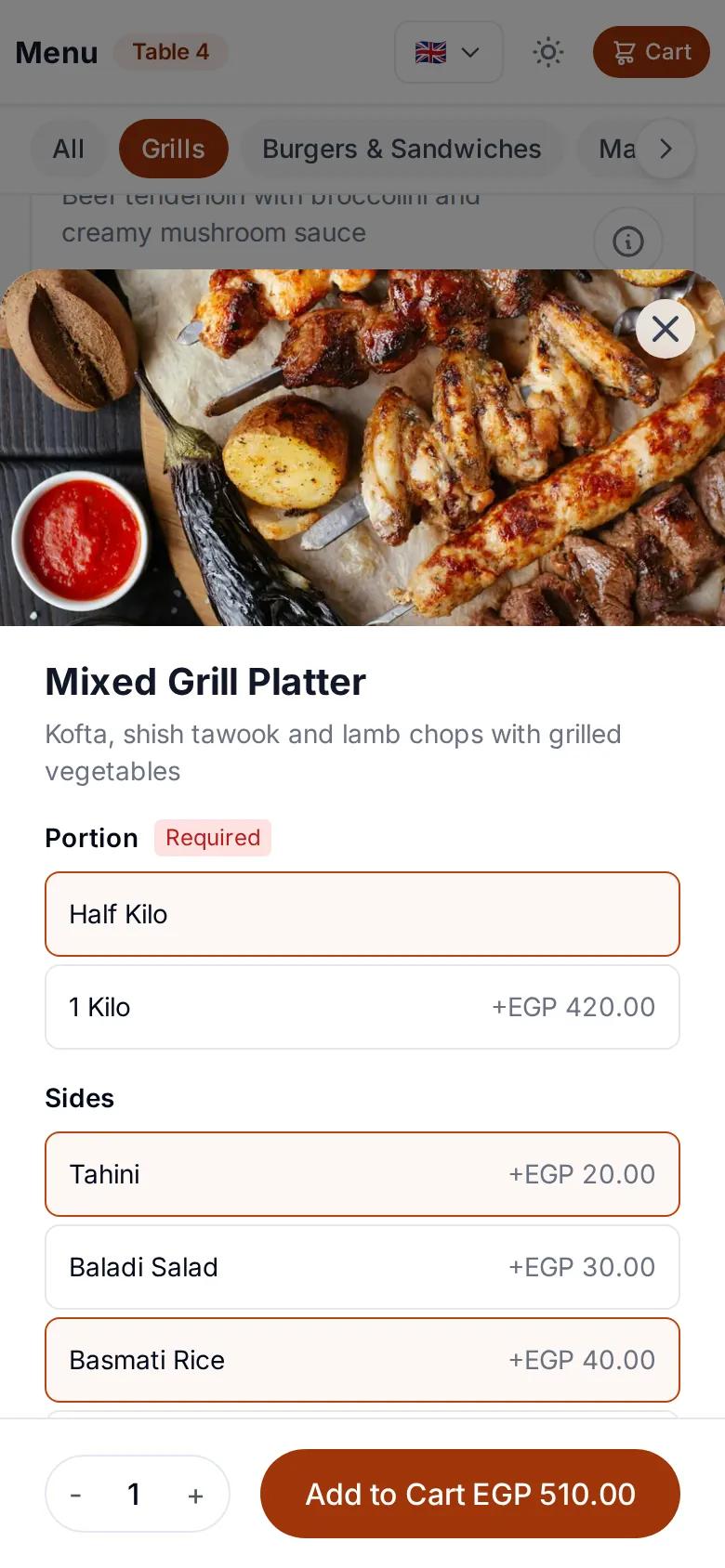
Guests pick a size and extras, and add a note if they want something changed. The system works out the price with every choice, so the total is right and the kitchen gets exactly what was ordered.

  • Sizes at different prices
  • Extras with their own prices
  • A note on every item
Choosing a size and extras for a fast food item on a guest's phone

Payment the way you set it up

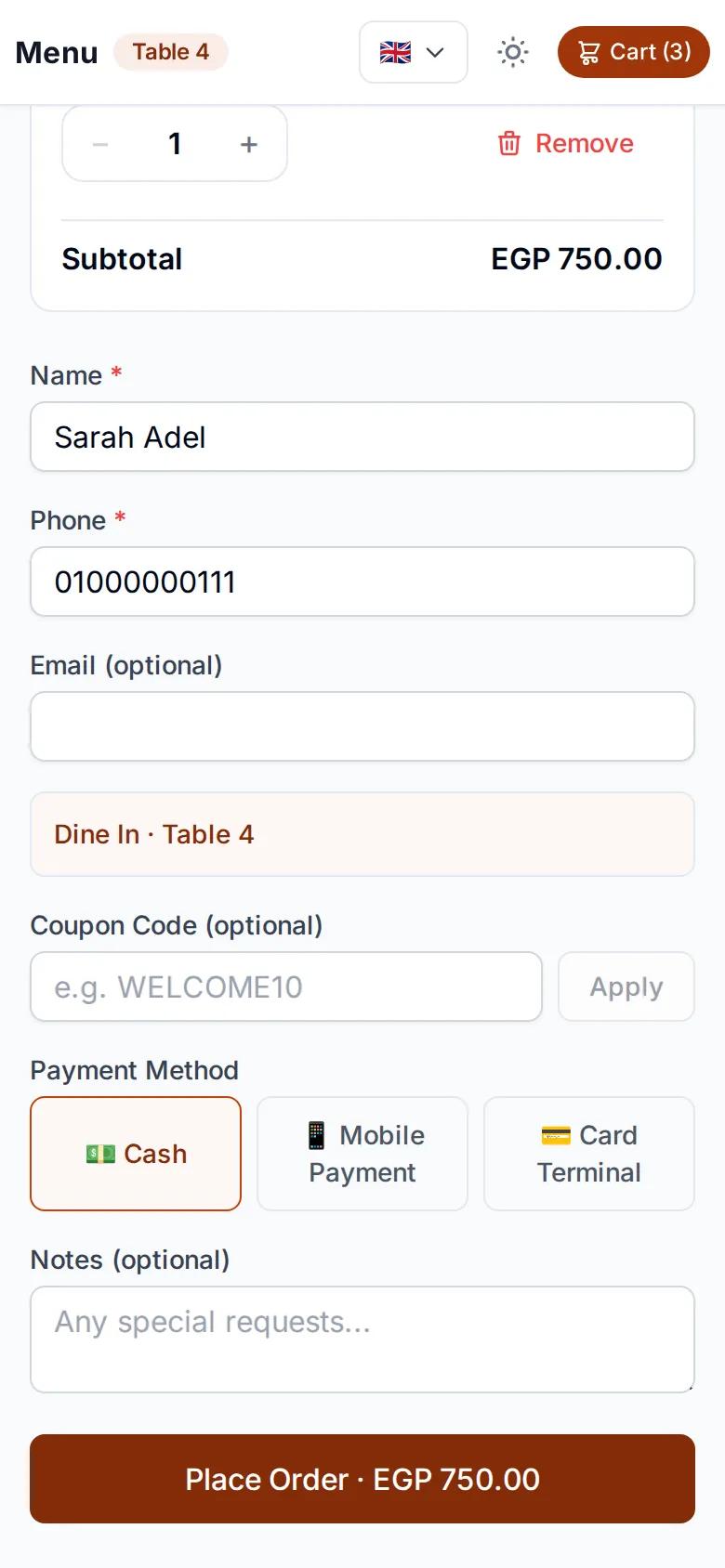
Guests review their order, then pay with cash, QR payment or card on the terminal, depending on the payment methods you enable. If you run offers, they enter a discount code on the same page.

  • Cash, QR payment or card on the terminal
  • Percentage or fixed-amount discount codes
  • No account or app needed
Checkout page and payment methods on a guest's phone

Each kitchen station sees its own items

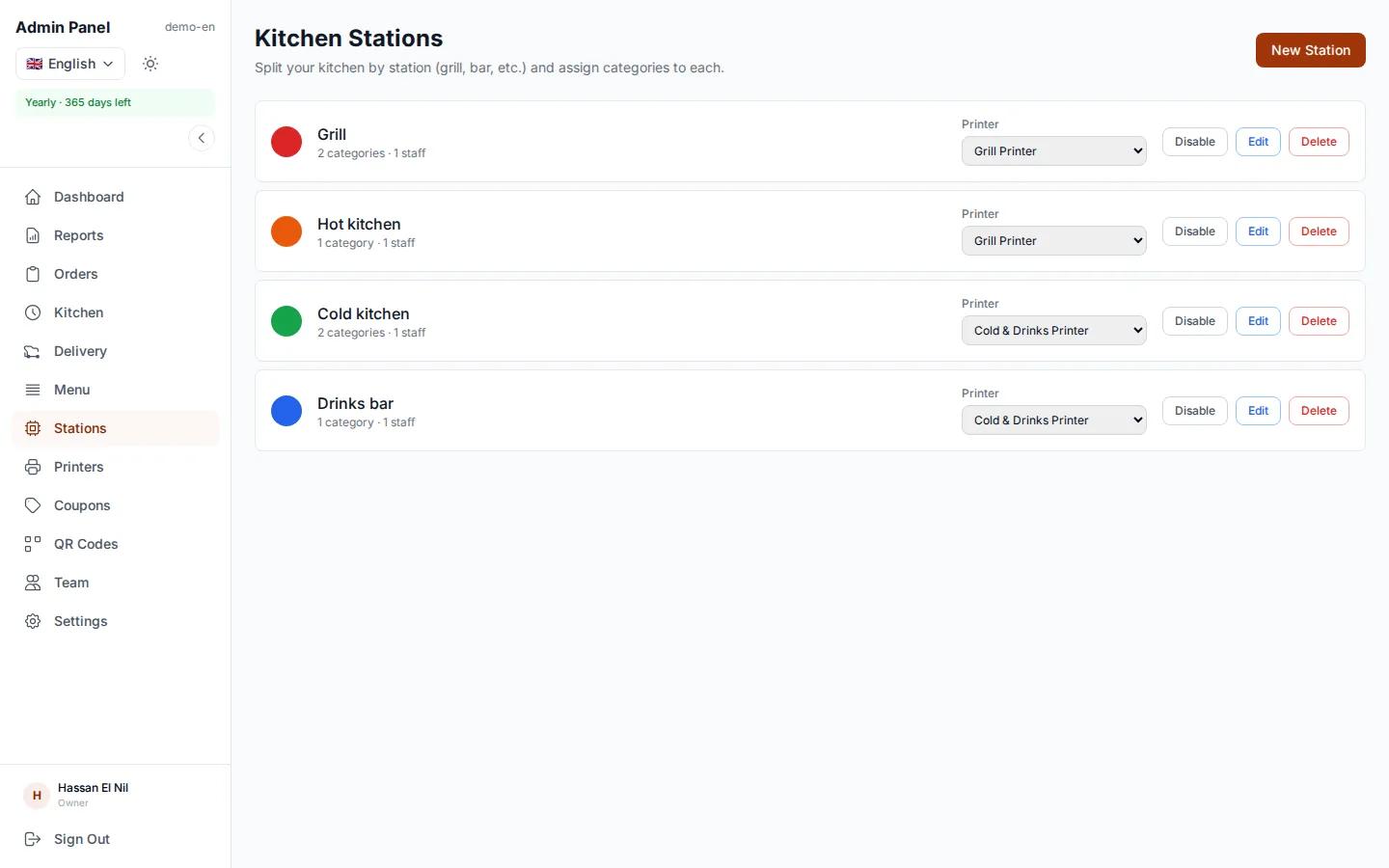
If your kitchen has a grill, a fryer and a drinks station, each one sees only its own items on its screen, and the order is marked ready automatically when every station is done. Nobody reads the whole order to find their part, so everyone starts cooking straight away.

  • A screen per station, or one screen with every order
  • Live updates, no refreshing
  • Orders complete when every station has finished
egymenu.com
Kitchen station screens, each with its own items

A ticket per station and a receipt for the guest

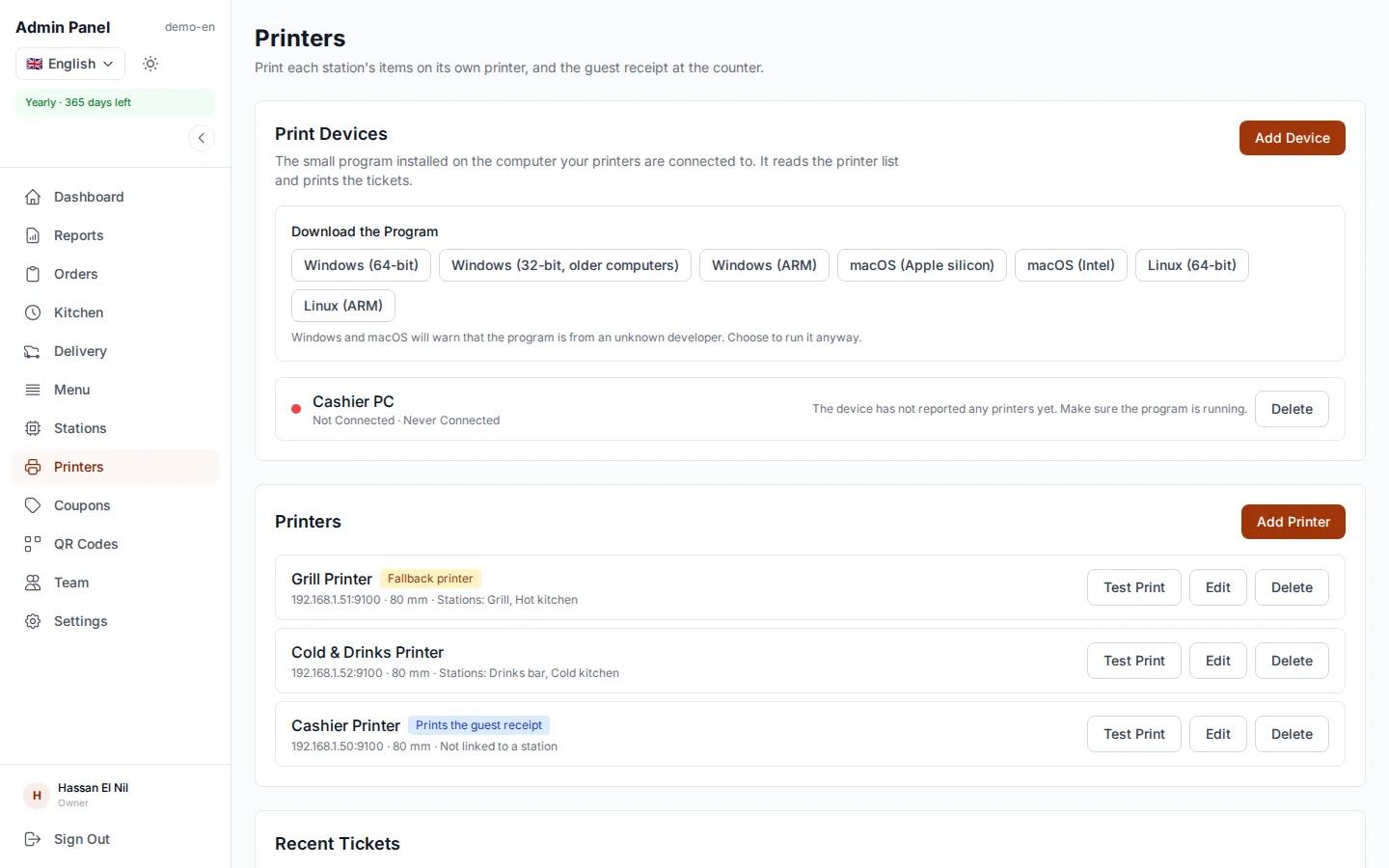
If you prefer paper, each station gets a ticket on its own printer, and an itemized receipt with prices prints for the guest. All it takes is a small program installed once on a computer in the restaurant. It works with standard thermal receipt printers, and a printer problem never holds up an order.

  • A ticket per station on its printer
  • An itemized guest receipt
  • The print program runs on Windows, macOS and Linux
egymenu.com
Printers page in the dashboard

Guests know when their order is ready

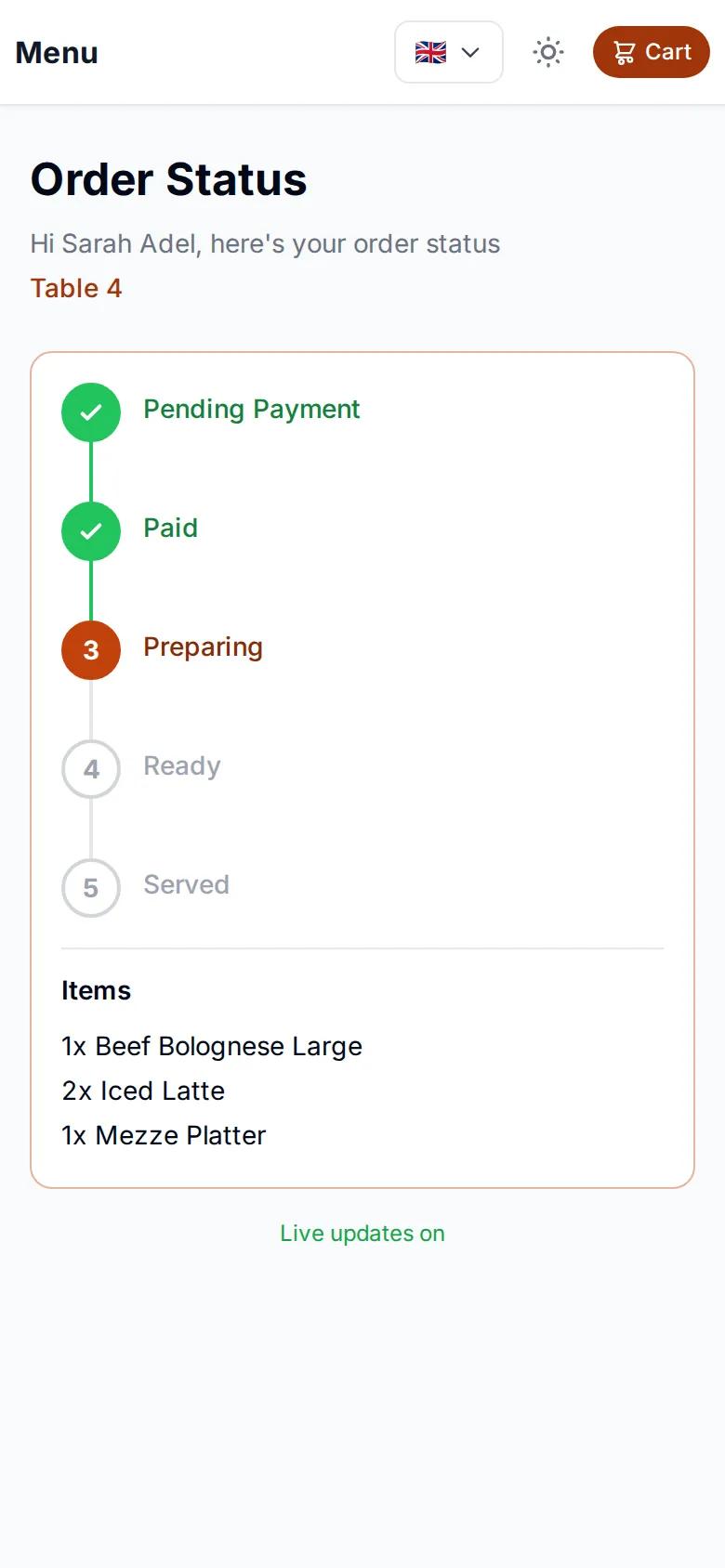
After ordering, guests get a tracking page that updates on its own: received, preparing, ready. No crowd at the counter asking whether their food is done.

Order tracking page on a guest's phone

Queue at the counter, or order from the phone?

In fast food, every minute at peak time costs you.

Ordering at the counterOrdering by phone with egymenu
WaitingThe guest queues until it is their turnThey order as soon as they walk in
Taking the orderStaff listen, write it down and sometimes get it wrongGuests choose from the menu themselves
Getting it to the kitchenA paper slip or a shoutIt appears on the kitchen display the moment it is placed
PricesAdded up by handCalculated by the system
Knowing it is readyThe guest asks at the counterThey see it on their phone

How to get started in your fast food restaurant

  1. 1

    Send us your menu

    A photo of your printed menu is enough. We enter the categories, items and prices for free.

  2. 2

    Print your codes

    A pickup code for the door, a delivery code, and a code per table if you have them.

  3. 3

    Receive orders

    Orders arrive on the orders board and kitchen display, on any phone or tablet.

Fast food ordering system questions

Do guests need to download an app to order?

No. Guests scan the code with their phone camera, the menu opens in the browser and they order from it.

How much does it cost?

The monthly plan is $50, with no commission on orders however many you get. There is a 7-day free trial before you choose a plan.

Can each kitchen station see only its own items?

Yes. You link each menu category to a station, such as the grill or drinks, and each station sees only its items. Multiple stations and per-station printing are enabled per restaurant, so ask us which plan fits you.

Can I print kitchen tickets and receipts?

Yes. A small program installs once on a computer in the restaurant (Windows, macOS or Linux) and prints a ticket per station on its own printer, plus an itemized guest receipt with prices. It works with thermal receipt printers.

How do guests pay?

With cash, QR payment or card on the terminal, depending on the payment methods you enable.

Is the menu available in more than one language?

The menu supports 15 languages and guests pick theirs. You choose which languages appear.

More in egymenu

Cut the queue at your fast food restaurant

Try it free for 7 days, and we'll set up your menu.