Software for cloud kitchens and delivery Cloud kitchen software, from the order to the customer's door

egymenu is cloud kitchen software where customers order for themselves from their phone, with no calls and no WhatsApp messages to copy down. You share your delivery menu link on social media, customers order from it with their address, and the order reaches your kitchen stations at the same moment. When it is ready, the system picks the best driver and sends them the order, and the customer follows the driver on a map until they arrive. There is no commission on orders, and you get a 7-day free trial.

Last updated:

egymenu.com
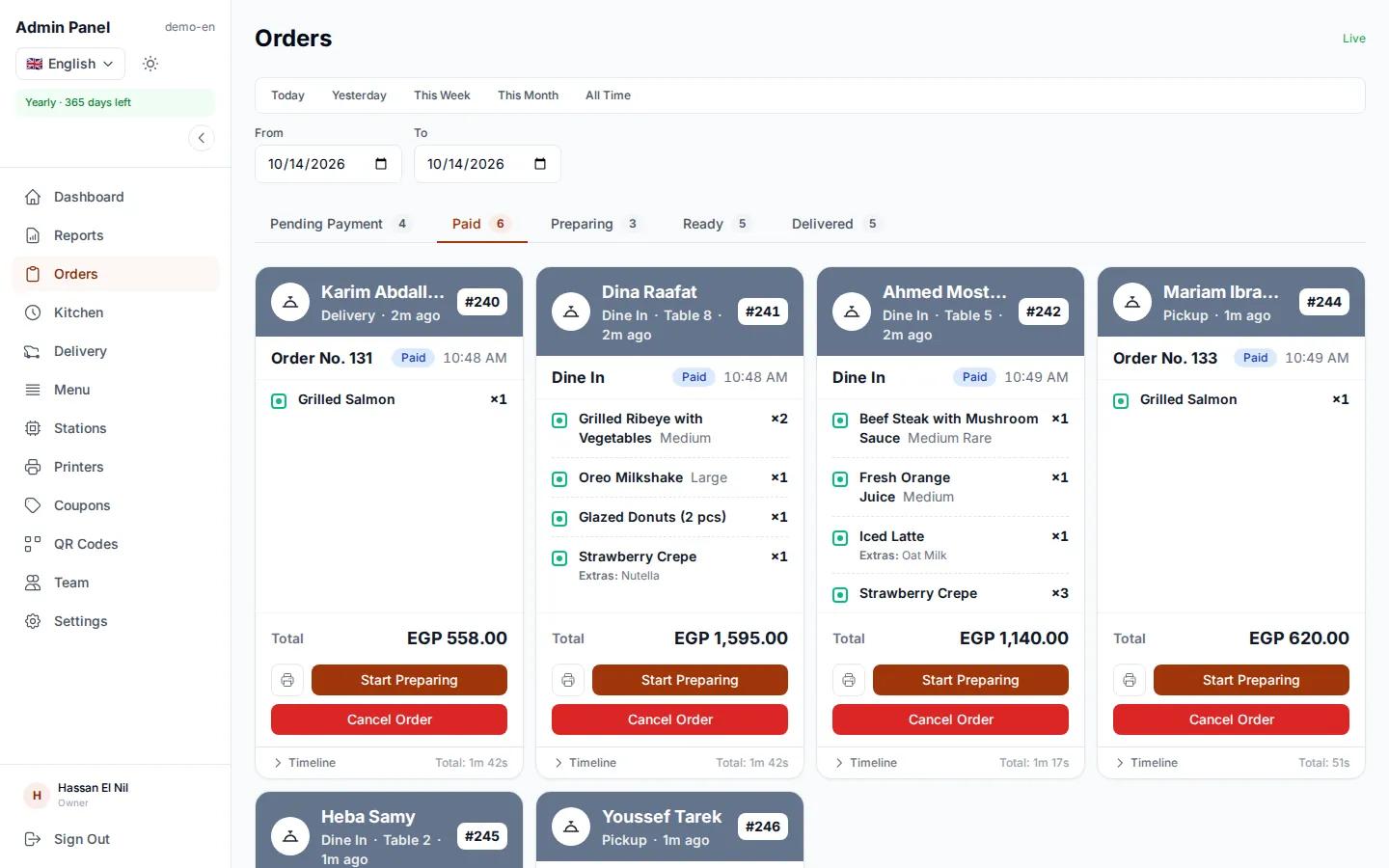
Delivery and pickup orders board in a demo cloud kitchen
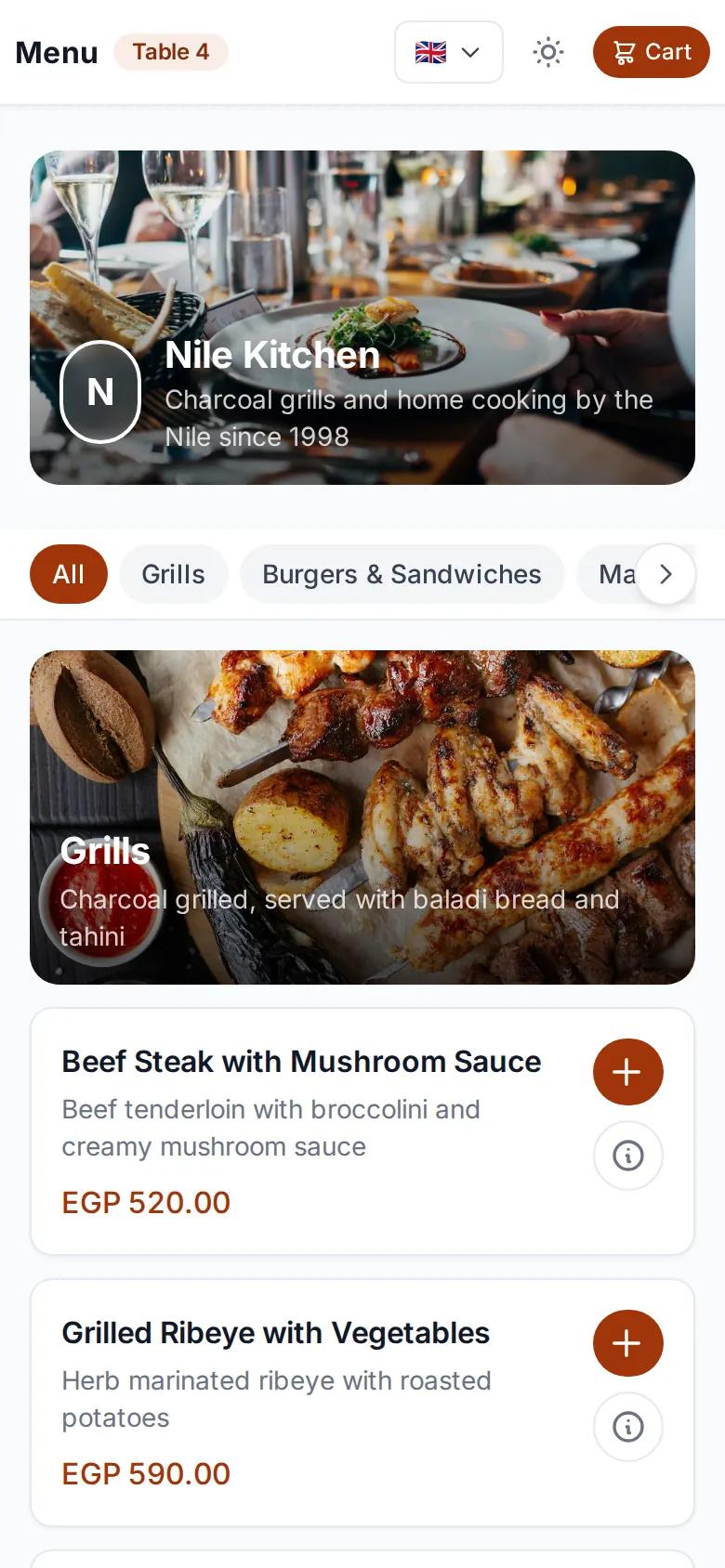
Delivery menu open on a customer's phone
New delivery orderJust reached the kitchen

Your own drivers, with automatic assignment

When a delivery order is ready, the system picks the best driver based on distance, rating and current load, and sends the order to the driver app. If they decline, it moves to the next driver on its own. You can also assign a driver by hand.

  • Driver app for Android and mobile web
  • Your own dedicated drivers via a signup link
  • Fixed, distance-based or manual delivery fees
egymenu.com
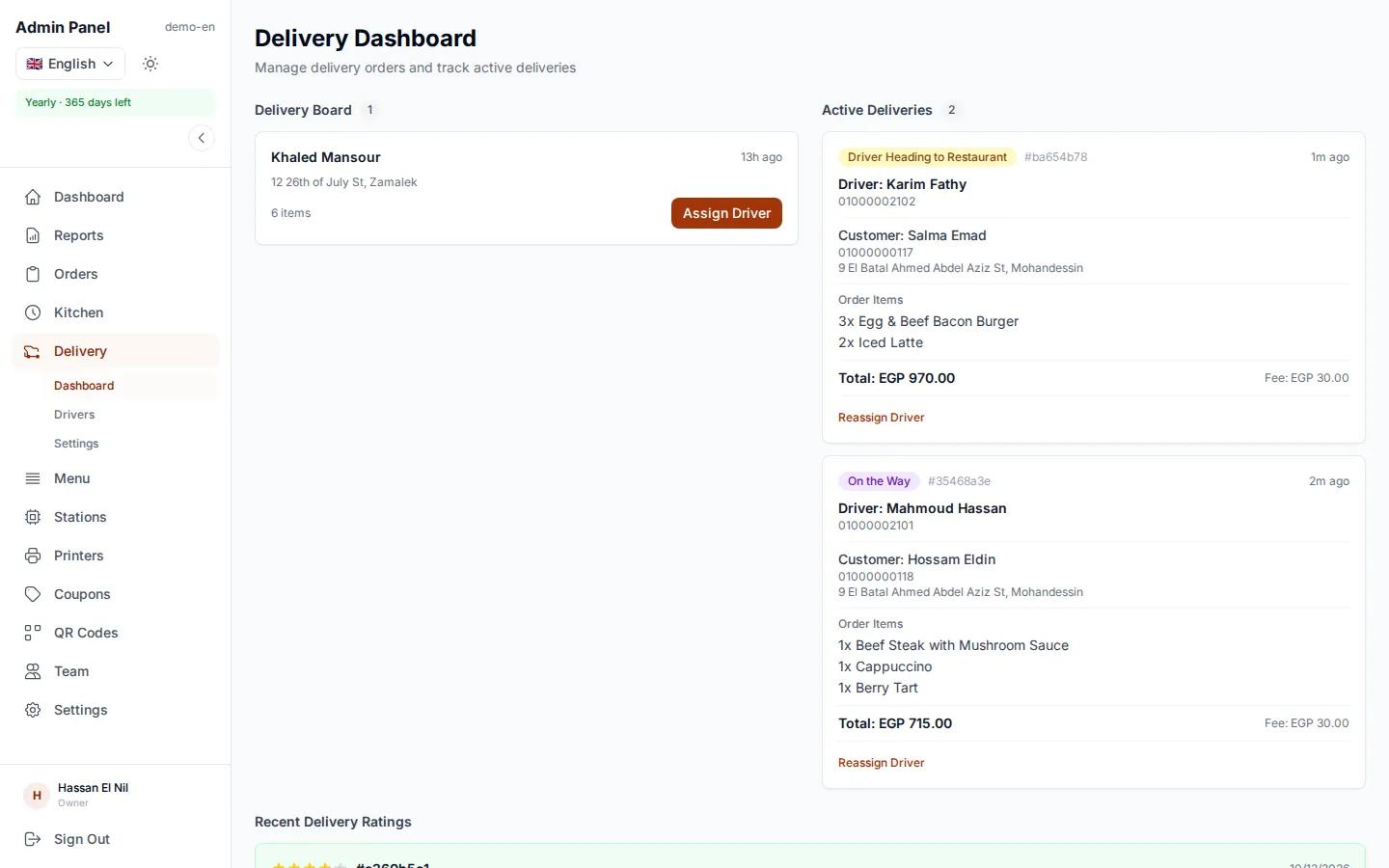
Delivery and driver management in a cloud kitchen dashboard

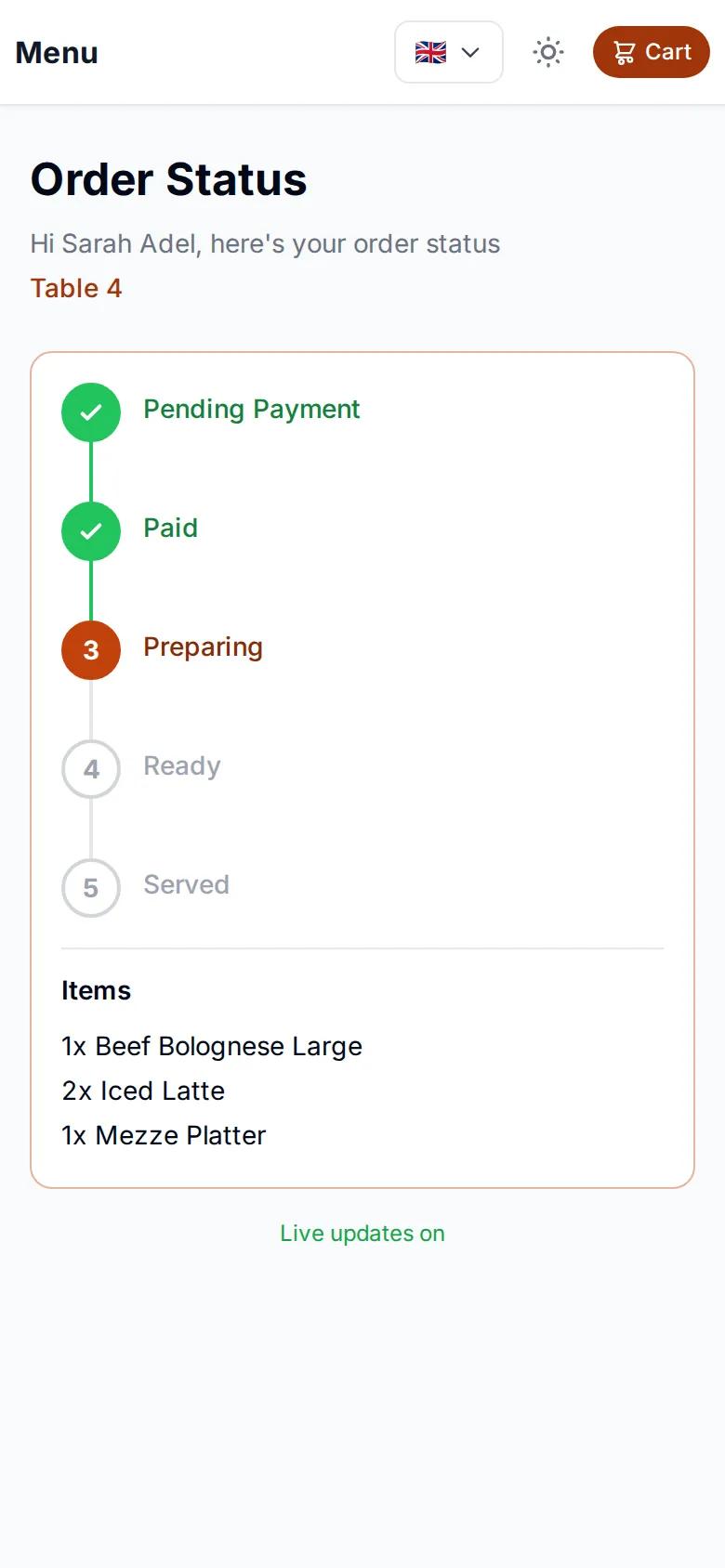
Customers follow the driver on a map

After ordering, customers get a tracking page that updates on its own: received, preparing, ready, driver on the way, delivered. They see the driver live on a map until the driver arrives, then leave a rating. That means far fewer calls asking where the food is.

  • Live GPS tracking for customers
  • Driver ratings after delivery
  • No more calls asking where the order is
Delivery order tracking page on a customer's phone

Delivery orders arrive complete, with the address

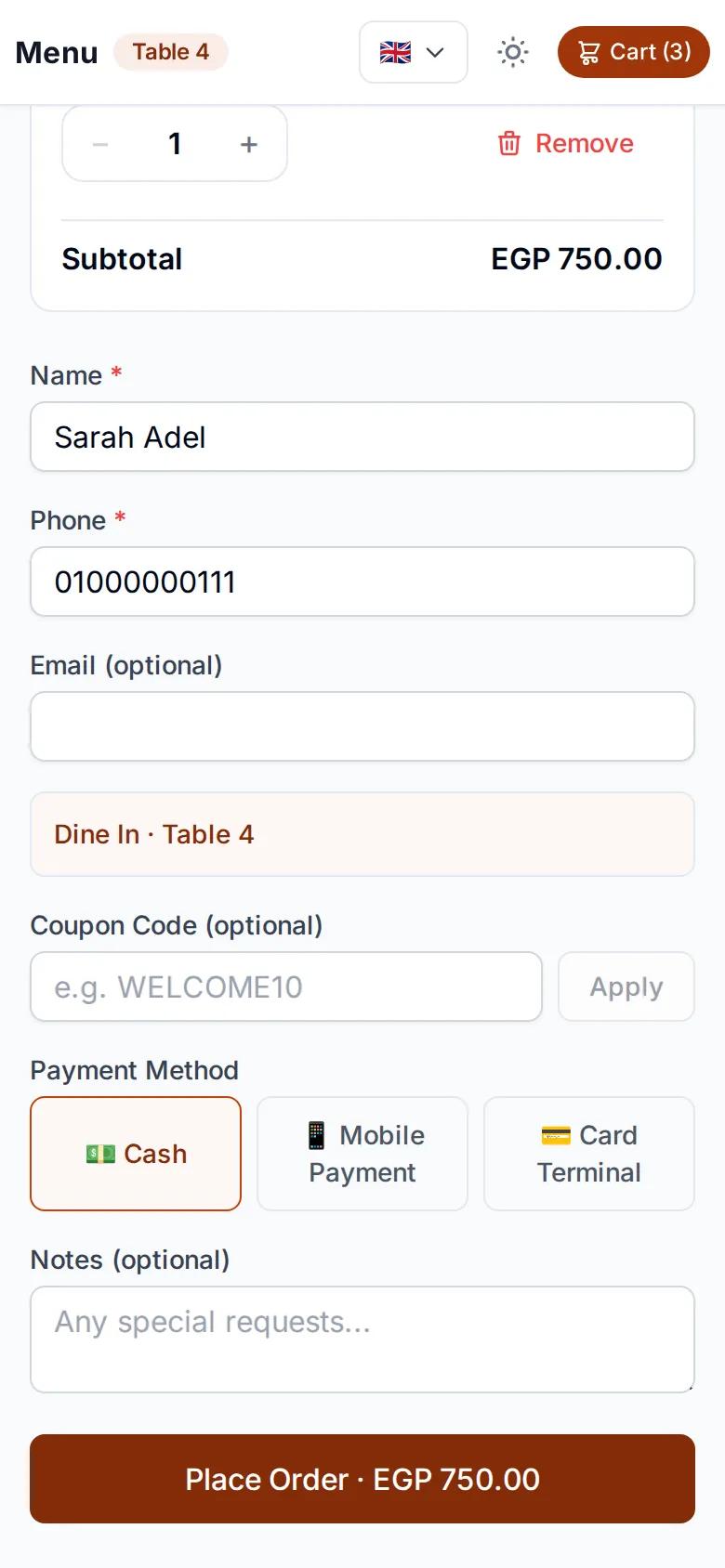
Instead of writing down orders and addresses from phone calls and WhatsApp, customers order themselves from your menu link or delivery code, and the order comes in with their address. There is a pickup code too, for people who collect their own food. Customers review the order, then pay the way you allow.

  • A delivery code and a pickup code
  • Orders come in with the address
  • Cash, QR payment or card on the terminal
Delivery checkout page on a customer's phone

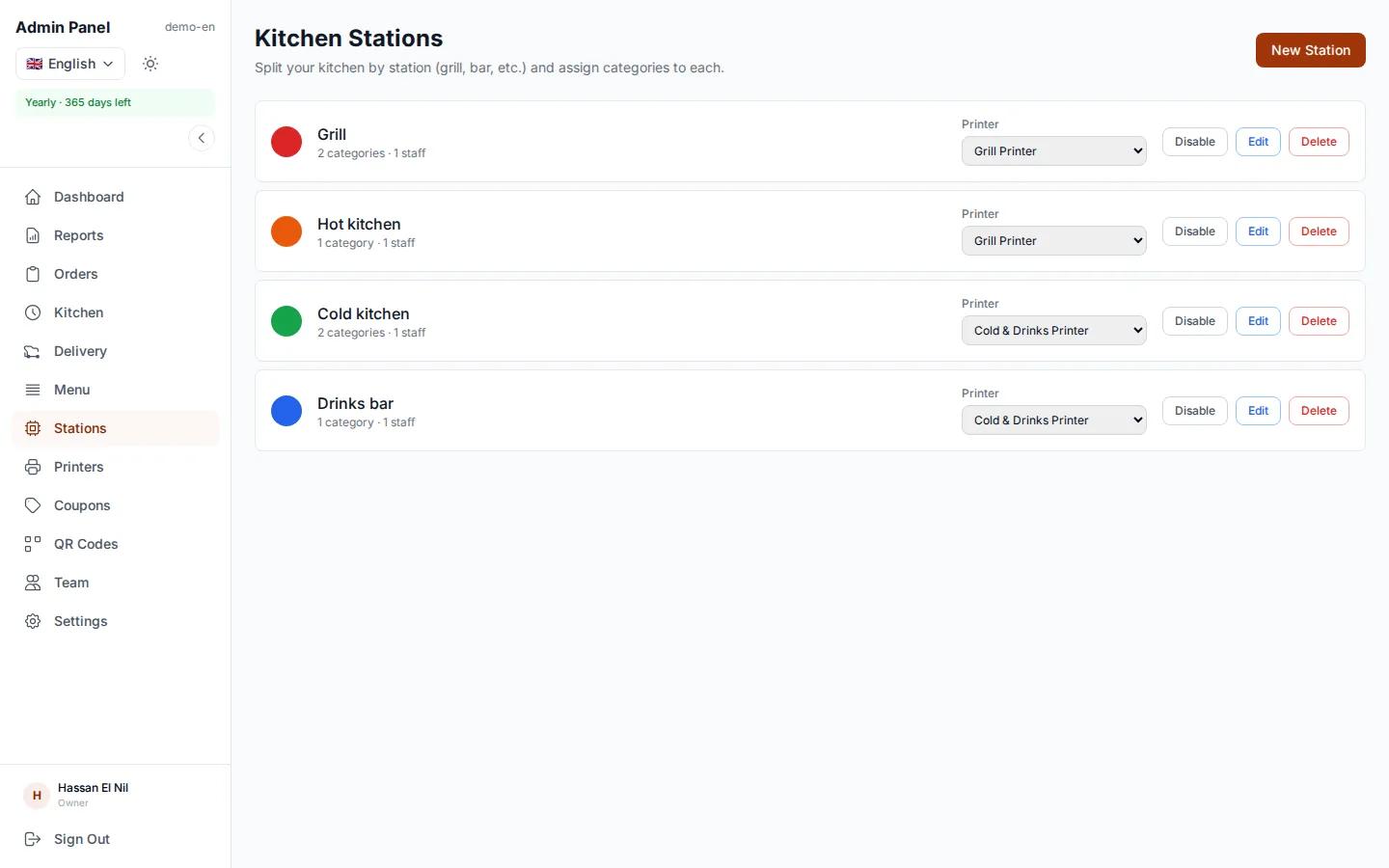
Each kitchen station sees its own items

A cloud kitchen runs many stations at once. Link each menu category to its station, and each station sees only its own items on its screen. The order is marked ready automatically when every station is done.

  • A screen per station, or one screen with every order
  • Live updates, no refreshing
  • Orders complete when every station has finished
egymenu.com
Cloud kitchen station screens, each with its own items

Kitchen tickets and a receipt for the order

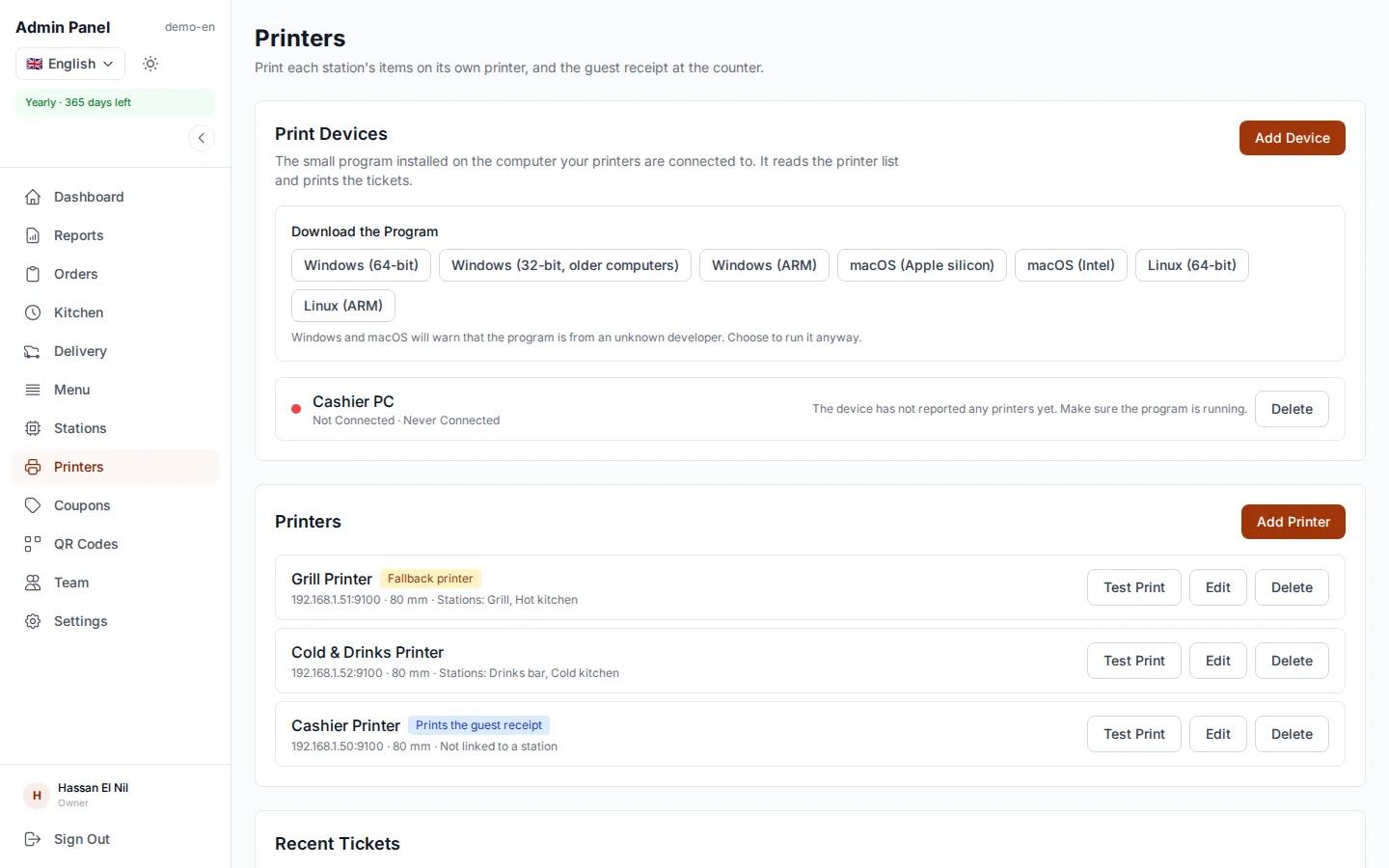
If you prefer paper, each station gets a ticket on its own printer, and an itemized receipt with prices prints for the customer. All it takes is a small program installed once on a computer in the kitchen. It works with standard thermal receipt printers, and a printer problem never holds up an order.

  • A ticket per station on its printer
  • An itemized customer receipt
  • The print program runs on Windows, macOS and Linux
egymenu.com
Printers page in the dashboard

See what sells, and when

The dashboard shows revenue, orders, top items and peak hours, and reports give you sales for any period you choose. You plan staff and stock on numbers instead of guesses.

  • Revenue and orders by day, week and month
  • Top items and peak hours
  • Download reports as PDF
egymenu.com
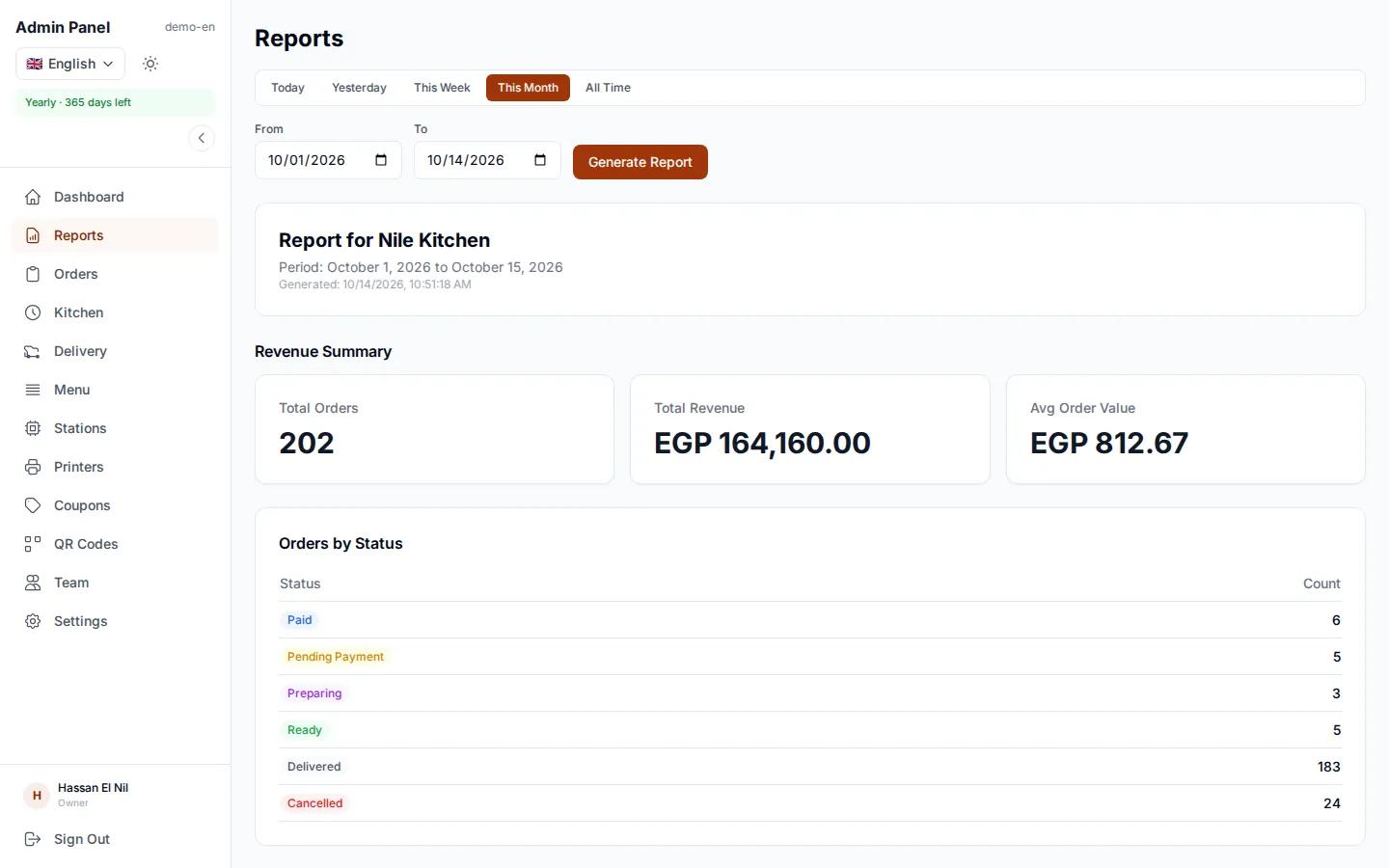
Sales reports in a cloud kitchen dashboard

Phone and WhatsApp orders, or egymenu?

In a cloud kitchen every order is delivery or pickup, so the difference shows up on every single one.

Phone and WhatsAppWith egymenu
Taking the orderSomeone answers and writes down the order and addressThe customer orders and the address comes with it
Getting it to the kitchenA slip of paper passed alongIt appears on each station's screen the moment it is placed
Choosing a driverCalls to find out who is freeAutomatic, by distance, rating and current load
Where the order isThe customer calls to askThey see the driver on a map
NumbersGuessworkSales reports and peak hours

How to get started in your cloud kitchen

  1. 1

    Send us your menu

    A photo of your menu is enough. We enter the categories, items and prices for free.

  2. 2

    Share your menu link

    Put your delivery menu link on your social media, and add your drivers with the signup link.

  3. 3

    Receive orders

    Orders arrive on the orders board and station screens, and go out to drivers when they are ready.

Cloud kitchen software questions

Do customers need to download an app to order?

No. They open your menu link or scan the code, the menu opens in the browser and they order from it.

How much does it cost for a cloud kitchen?

The monthly plan is $50, and the delivery module is included in the 6-month plan ($250) and the yearly plan. There is no commission on orders on any plan, and there is a 7-day free trial.

I have my own drivers. How does assignment work?

Your drivers sign up through a link that belongs to your kitchen. The system picks the best driver by distance, rating and current load and sends the order to the driver app. If they decline, it goes to the next one, and you can always assign by hand.

How are delivery fees calculated?

You choose between a fixed fee, a distance-based fee, or a fee you set by hand.

Can each kitchen station see only its own items?

Yes. You link each menu category to a station, and each station sees only its items. Multiple stations and per-station printing are enabled per restaurant, so ask us which plan fits you.

How do customers pay?

With cash, QR payment or card on the terminal, depending on the payment methods you enable.

More in egymenu

Run your cloud kitchen's orders from one place

Try it free for 7 days, and we'll set up your menu.