Ordering system for cafes A cafe ordering system guests use from their own phone

egymenu is a cafe ordering system where guests order for themselves from their phone. They scan the table code, the menu opens in the browser with no app, and they pick their drink, size and extras and send the order with the table number attached. The order lands on the orders board and the bar screen at the same moment, and when a guest wants another coffee, they order it from their phone without calling anyone. Plans start at $50 a month with no commission on orders, and there is a 7-day free trial.

Last updated:

egymenu.com
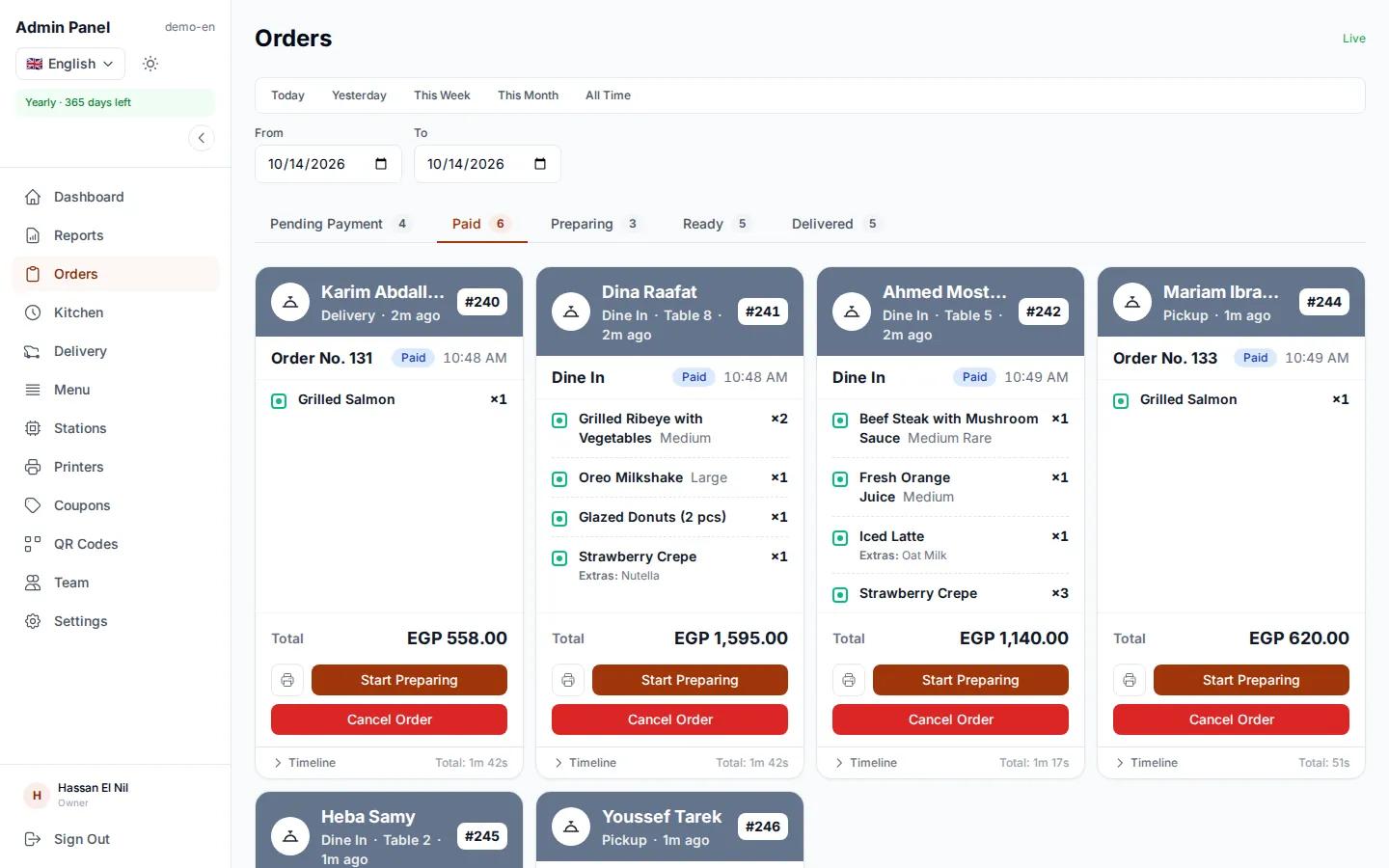
Orders board in a demo cafe: new, preparing and ready orders
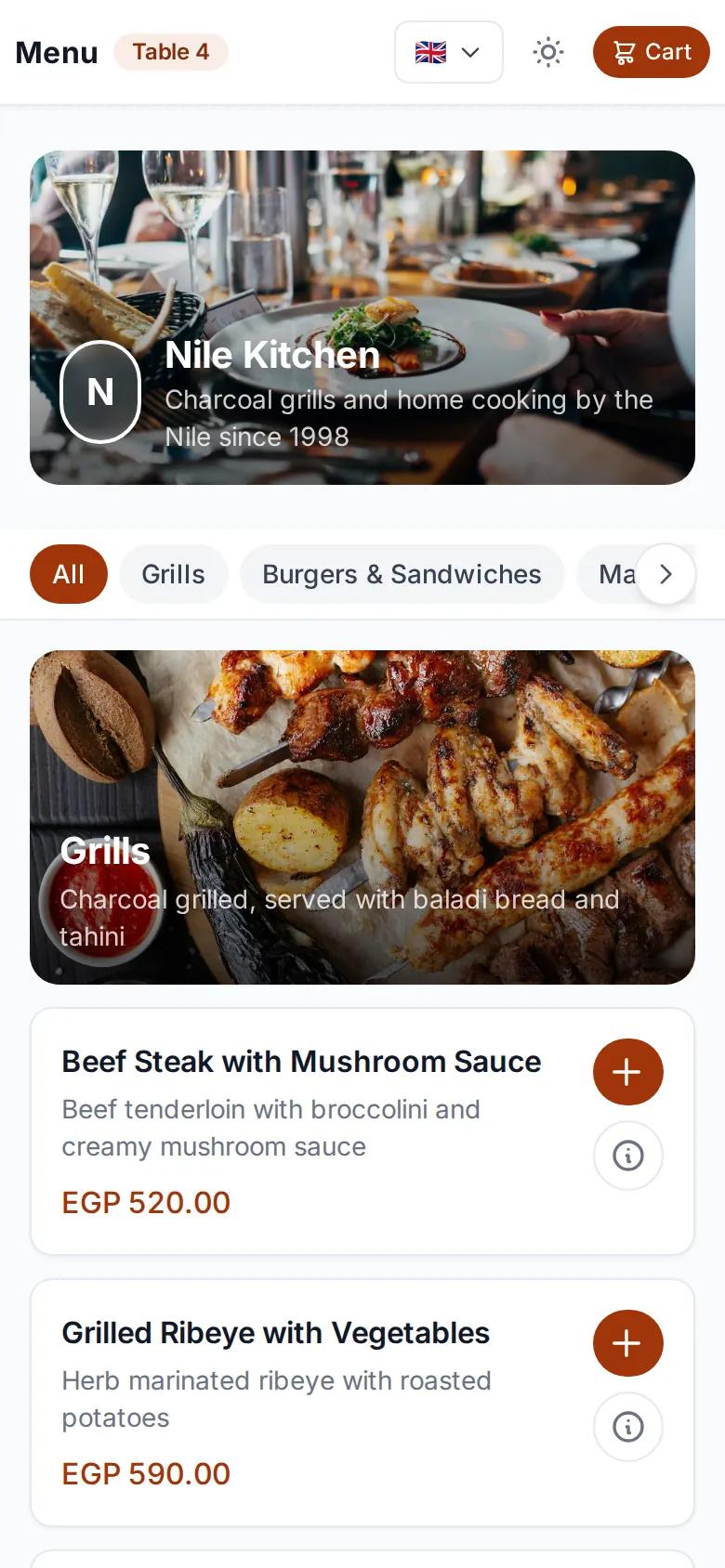
Cafe menu open on a guest's phone after scanning the table code
New order from table 7Just reached the bar

A second order without waiting for a waiter

Cafe guests stay longer and order more than once: a coffee, then something sweet, then another drink. With a table code they order from their phone every time, and each new order carries the same table number. Nobody has to wave across a busy room.

  • Table number captured from the code
  • Order again any time from the phone
  • Cash, QR payment or card on the terminal
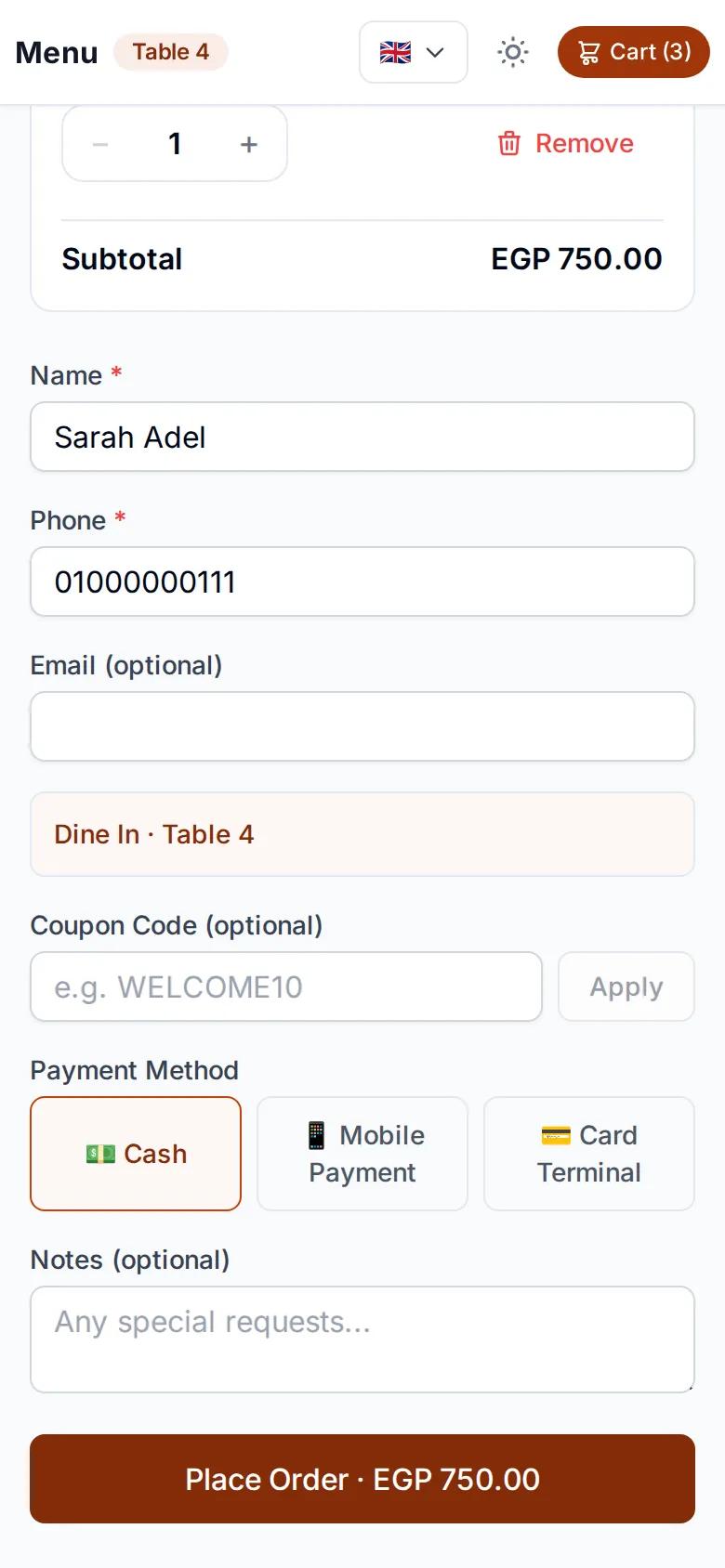
Cafe checkout page with the table number and payment methods

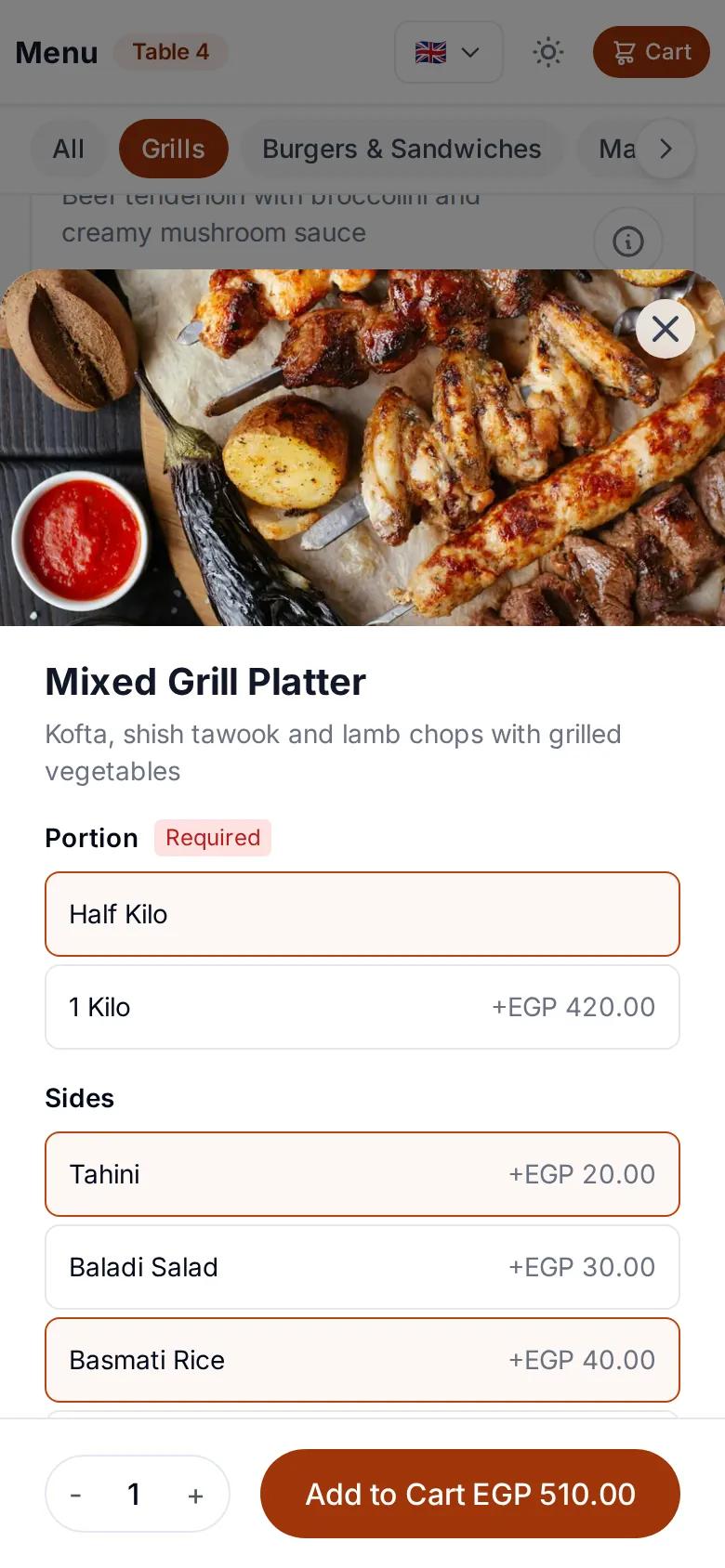
Sizes and extras, priced as they go

Every drink can have option groups you set up: a required cup size, say, and optional extras with a maximum. Guests see the price change with each choice, and add a note if they want it made differently.

  • Required sizes, optional extras
  • Prices calculated automatically
  • A note on every item
Choosing a size and extras for a drink on the cafe menu

A menu in each guest's language

Not every guest reads the local language. They pick theirs at the top of the page and order without anyone translating the menu for them. You decide which languages your menu shows.

  • 15 languages for guests to choose from
  • Arabic displays right to left
  • Dark mode for the menu
The cafe menu in English on the phone of a guest who picked their language

Table and takeaway orders from one menu

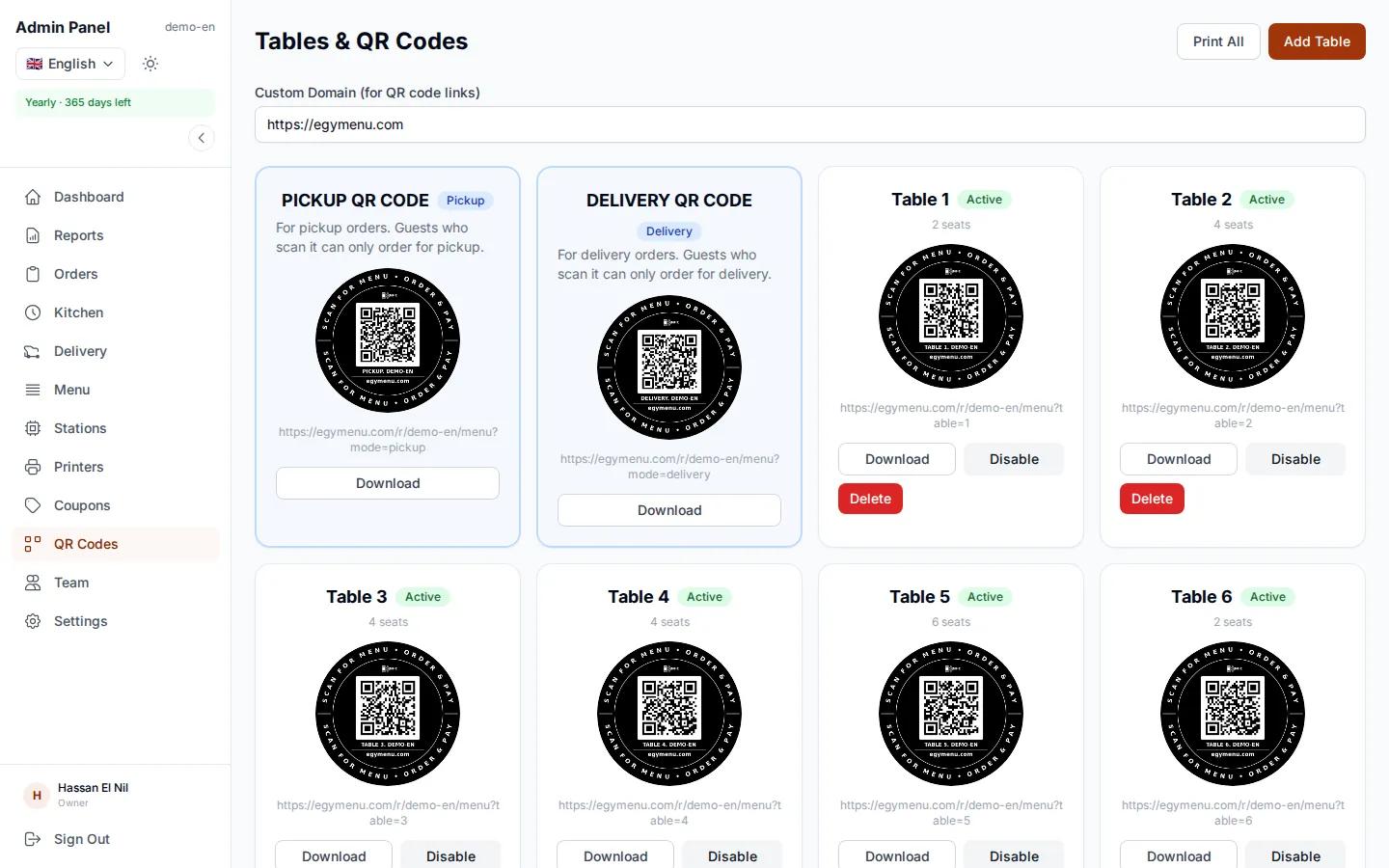
Add your tables in the dashboard and print a code for each one. There is also a pickup code for the door or the counter, so a guest in a hurry orders their coffee on their phone and collects it without queuing.

  • One code per table, with its number
  • A pickup code for takeaway
  • One menu for every order
egymenu.com
Cafe table QR codes in the dashboard

The bar sees only the drinks

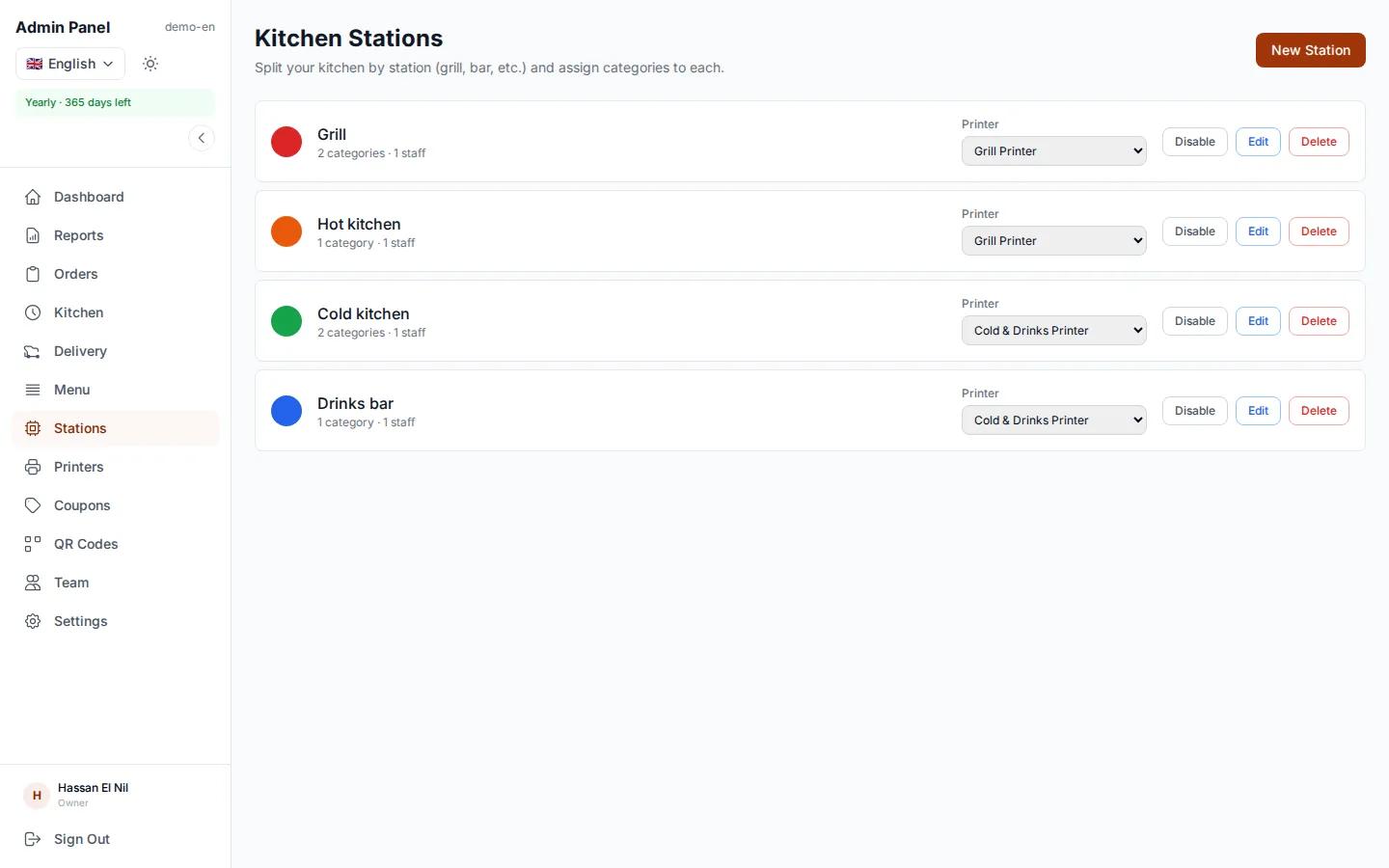
If your cafe also serves food, link each menu category to a station: drinks to the bar, food to the kitchen. Each station sees only its own items, on its screen or on its printer ticket, and the order is ready once every station is done.

  • A screen per station, or one screen with every order
  • A ticket per station on its printer
  • Orders complete when every station has finished
egymenu.com
Bar station screen showing only drinks

Know your peak hours and best sellers

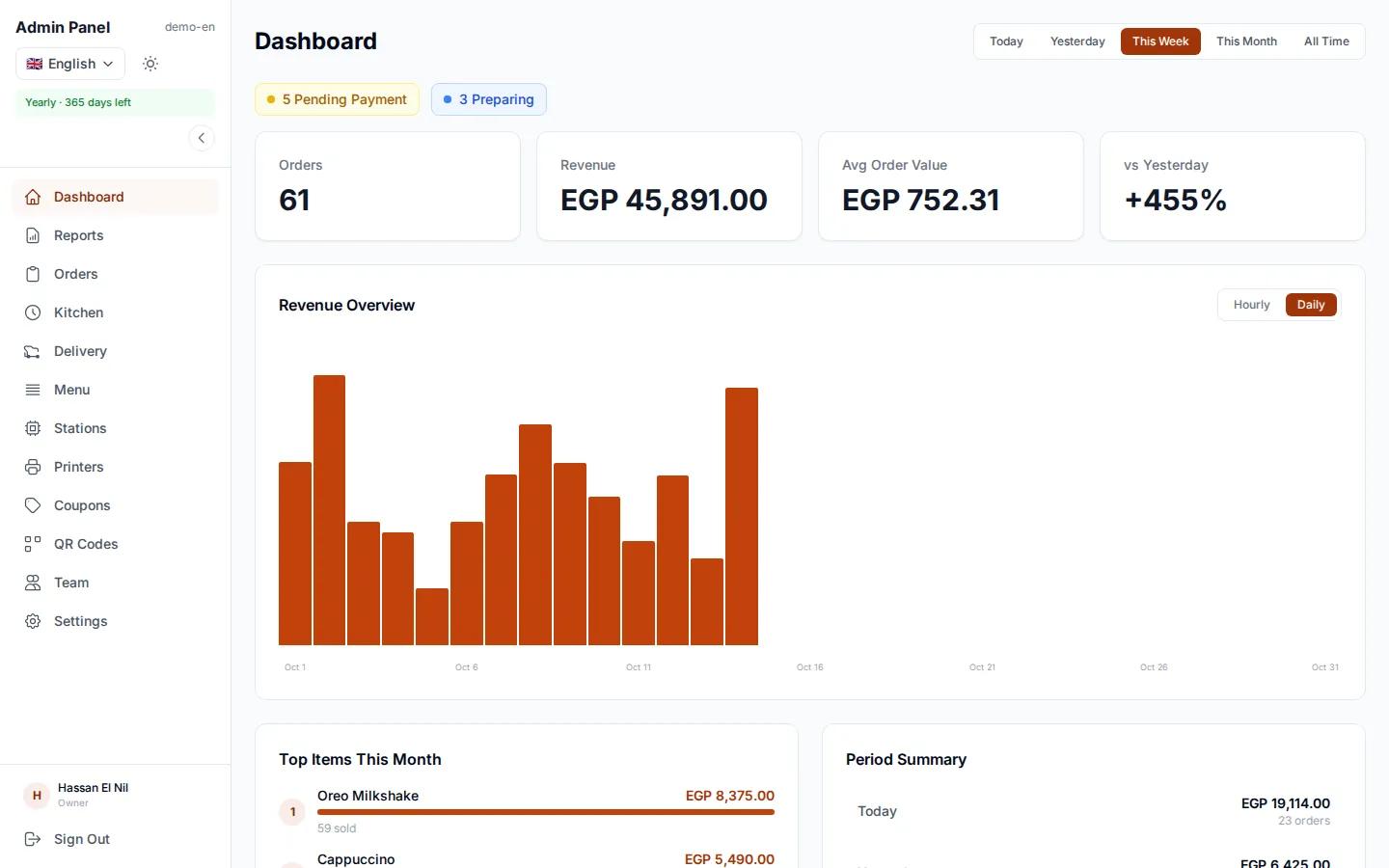
The dashboard shows revenue, orders, top items and peak hours. You can see when you need more hands on shift, and which drinks deserve a better spot on the menu.

  • Revenue and orders by day, week and month
  • Top items and peak hours
  • Download reports as PDF
egymenu.com
Sales dashboard for a cafe

Running a cafe the usual way, or with egymenu?

You notice the difference at the busiest hour, when every table is full and nobody is free to take orders.

The usual wayWith egymenu
First orderThe guest waits for a waiterThey order as soon as they sit down
Second orderThey wave for a waiter againThey order from their phone any time
Guests from abroadSomeone has to explain the menuThey read the menu in their own language
Getting the order to the barShouted across or written on paperIt appears on the bar screen the moment it is placed
Order statusThe guest has to askThey see every step on their phone

How to get started in your cafe

  1. 1

    Send us your menu

    A photo of your printed menu is enough. We enter the categories, items and prices for free.

  2. 2

    Print your codes

    One code per table, plus one for pickup.

  3. 3

    Receive orders

    Orders arrive on the orders board and bar screen, on any phone or tablet.

Cafe ordering system questions

Do guests need to download an app?

No. Guests scan the code with their phone camera, the menu opens in the browser and they order from it.

How much does it cost for a cafe?

The monthly plan is $50, with no commission on orders. There is a 7-day free trial before you choose a plan.

Can guests order coffee to take away?

Yes. Put the pickup code on the door or the counter. Guests order from the same menu on their phone and follow the order until it is ready.

Can the bar see only the drinks?

Yes. You link each menu category to a station, so the bar sees only drinks and the kitchen only food. Multiple stations and per-station printing are enabled per restaurant, so ask us which plan fits you.

How do guests pay?

With cash, QR payment or card on the terminal, depending on the payment methods you enable.

Do I need special hardware?

No. The orders board and bar screen run on any phone, tablet or computer with a browser. A printer is optional.

More in egymenu

Let your cafe guests order from their table

Try it free for 7 days, and we'll set up your menu.