Kitchen display and orders board Kitchen display system: orders reach the kitchen the moment they are placed

egymenu's kitchen display system shows your team every order as soon as it is sent, with no paper and no shouting across the pass. Guests order themselves from a QR menu on their phone, and the order appears on the orders board and the kitchen display at the same time, exactly as the guest chose it. Cooks move each order to the next stage with one tap, and every tap updates the guest's tracking page. It runs on any tablet or computer with a browser. Plans start at $50 a month with no commission on orders, and there is a 7-day free trial.

Last updated:

egymenu.com
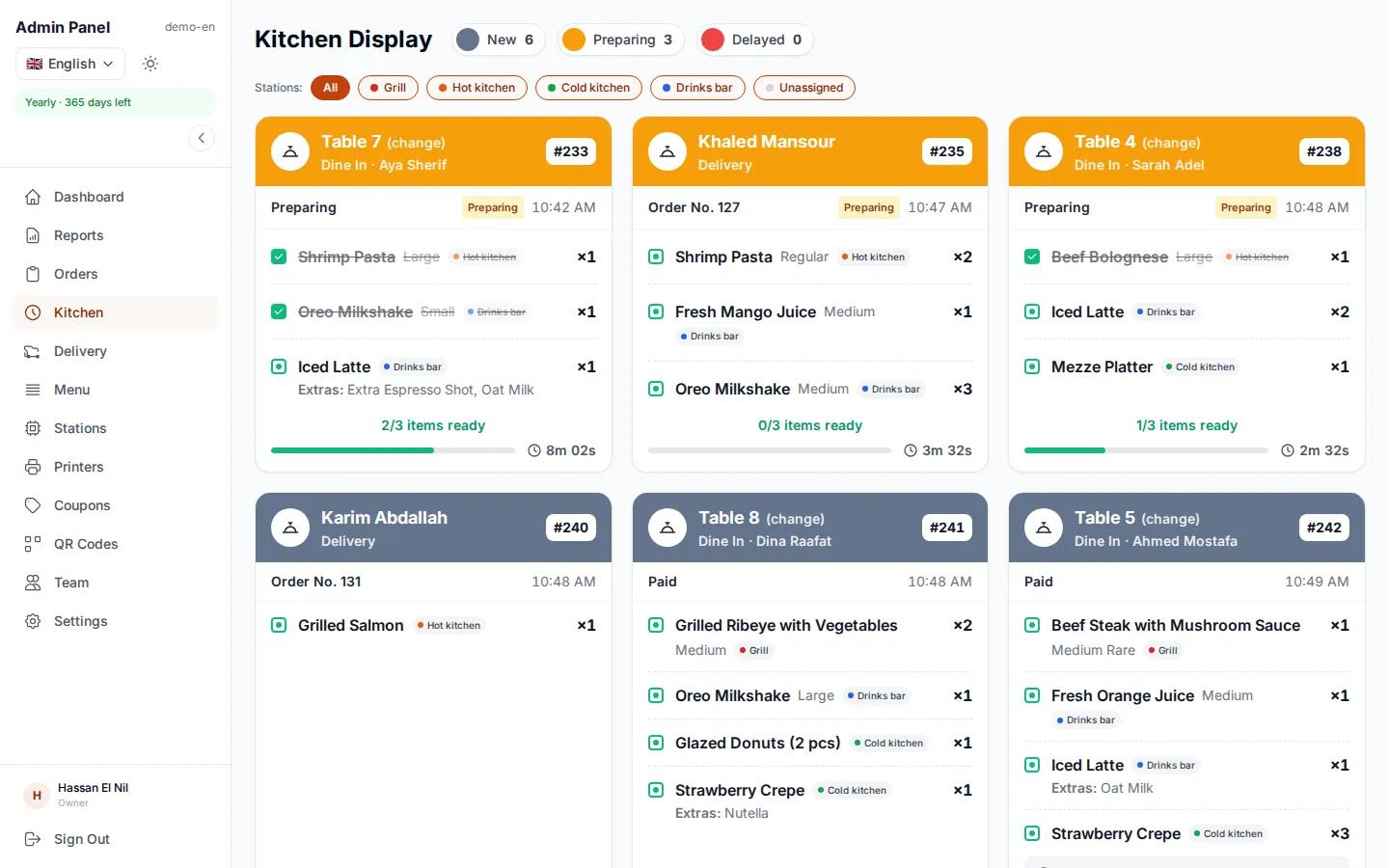
Kitchen display at a demo restaurant showing orders by status
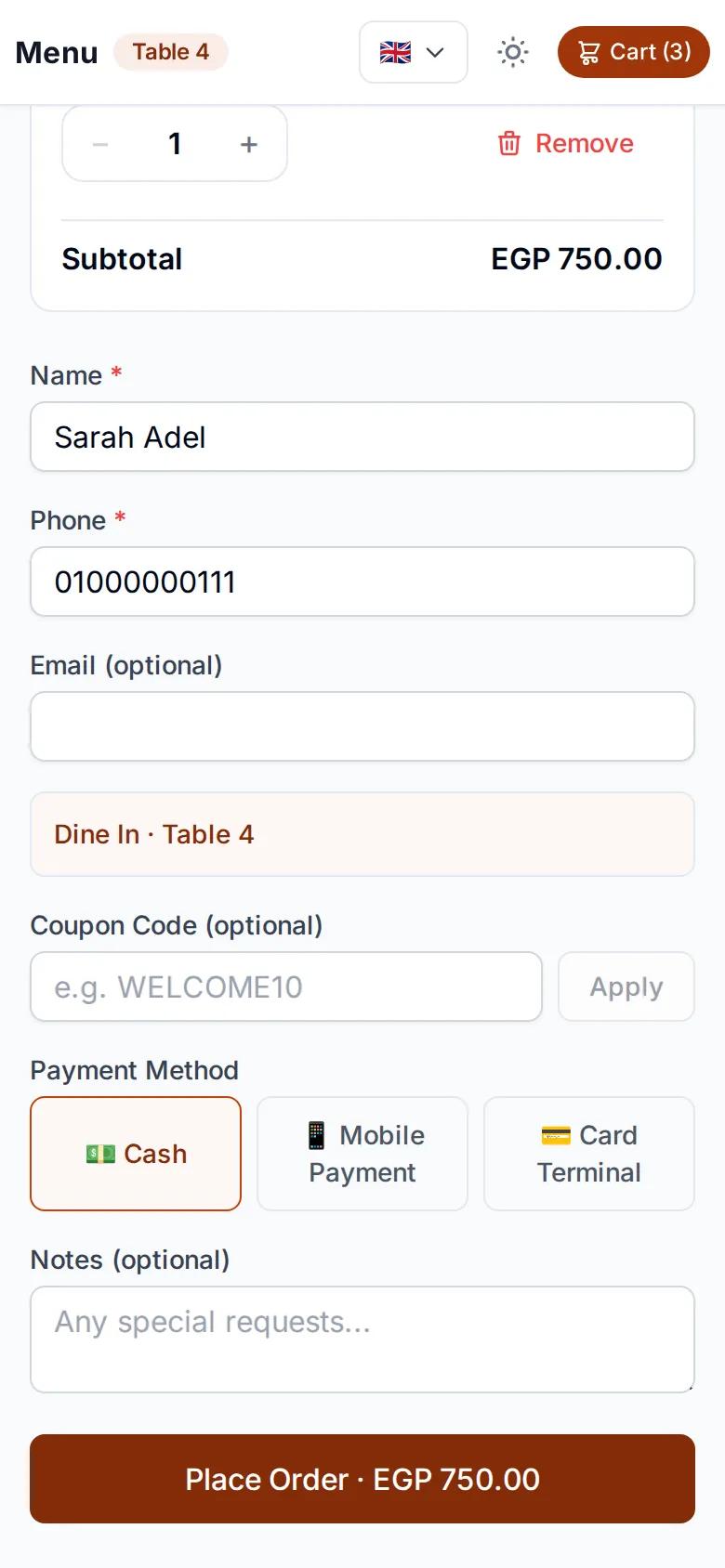
A guest sending an order from their phone to the kitchen
New order, table 7On the kitchen display now

Every order on one board, grouped by status

Each order shows up on the orders page in its current status: pending payment, paid, preparing, ready, delivered. Updates are live, so nobody has to refresh the page to see new orders.

  • Live updates, no refreshing
  • Five clear statuses for every order
  • One tap moves an order to the next stage
egymenu.com
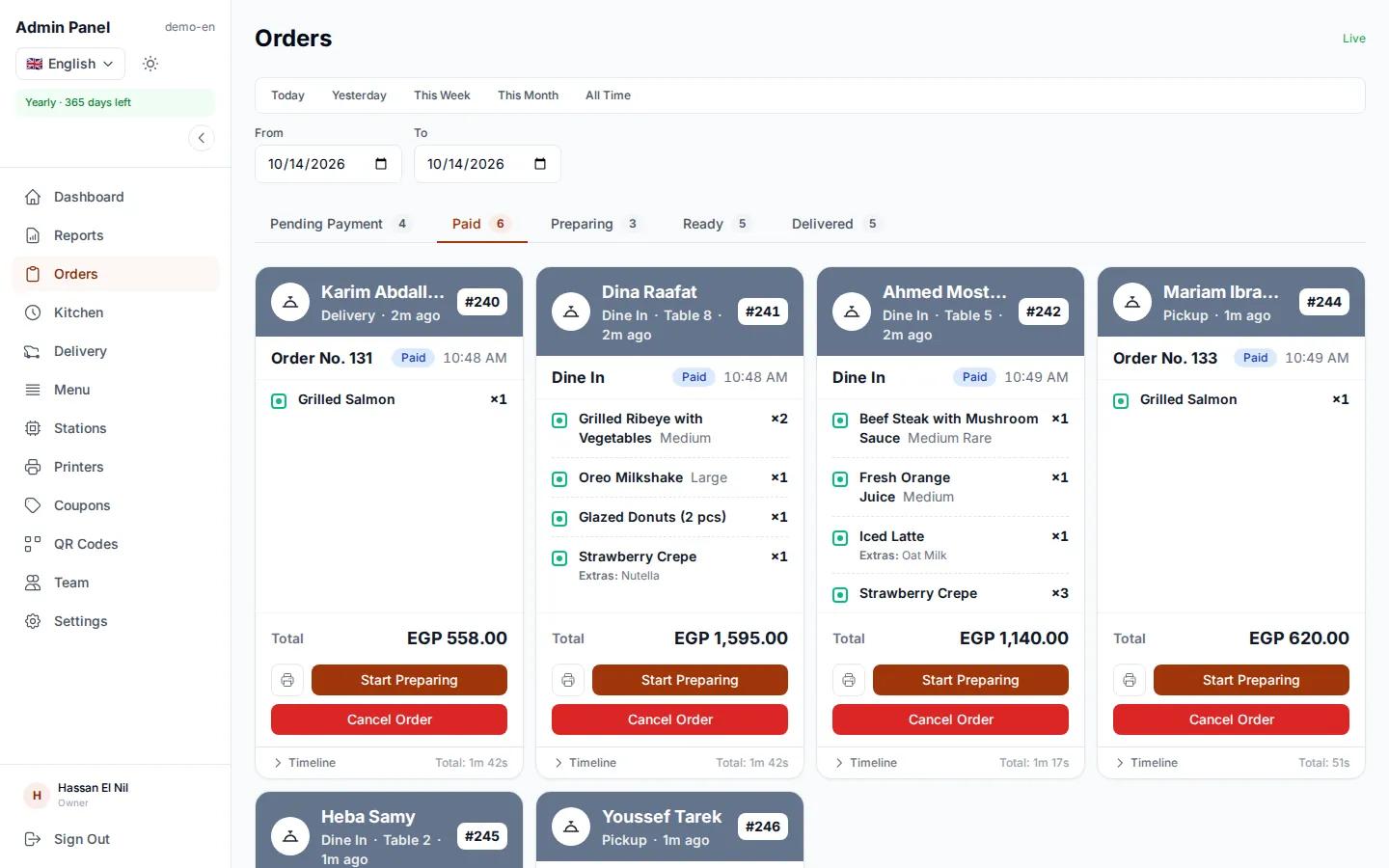
Orders board with new, preparing and ready orders

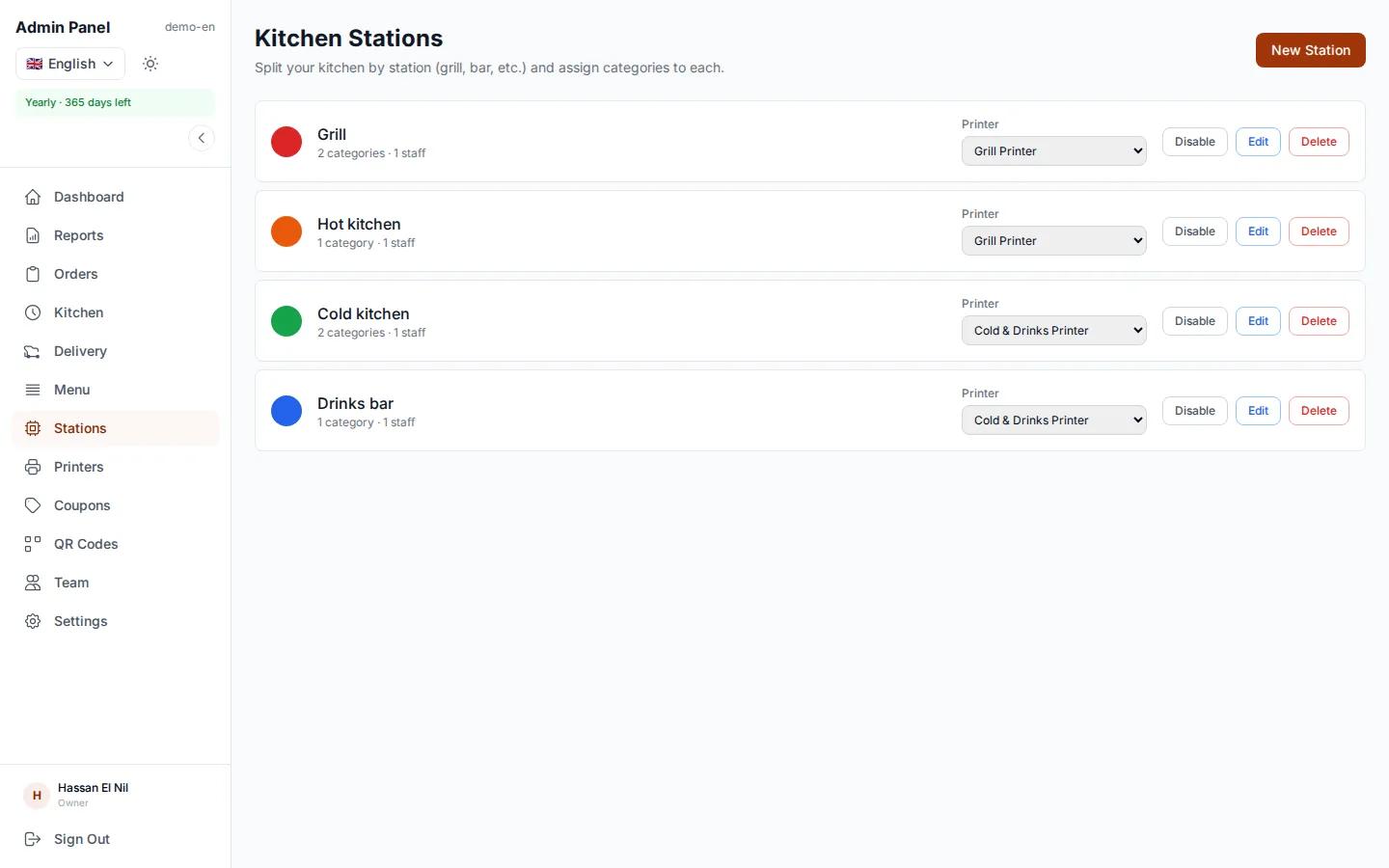
Kitchen stations: each one sees only its own items

If your kitchen has a grill, a cold station and a drinks bar, you link each menu category to its station, and each station sees only its own items on its screen. The order is marked ready automatically once every station has finished its part. In a small kitchen, one screen with every order works just as well.

  • A screen per station, or one screen for everything
  • Each menu category linked to a station
  • Ready when every station is done
egymenu.com
A station screen showing only that station's items

Orders arrive exactly as the guest chose them

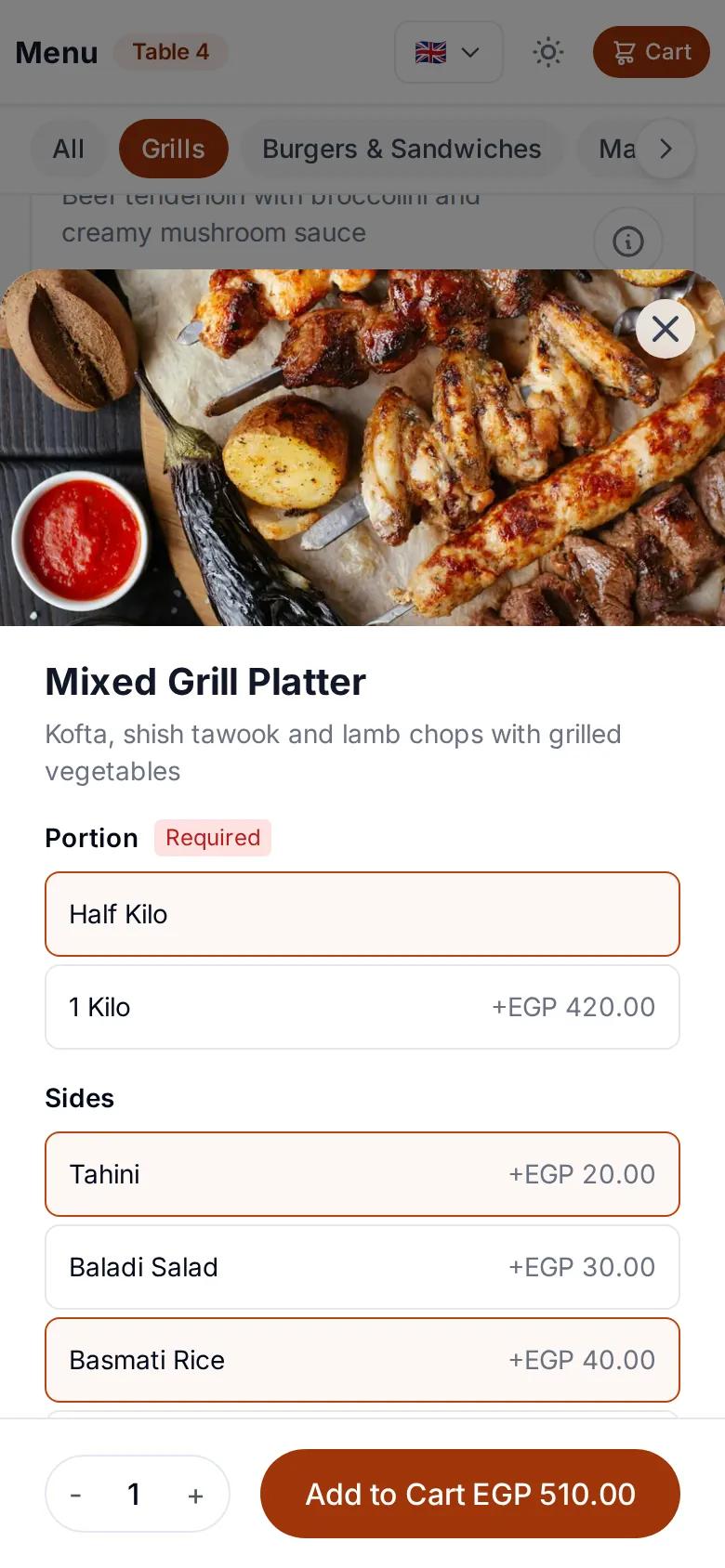
The guest picks the item, the size and the extras, and adds a note. There is no handwritten ticket to misread and no order lost in the noise of a busy kitchen. The system works out the price with every choice.

  • Sizes and extras as the guest picked them
  • The guest's note on the item
  • No writing mistakes, no wrong totals
A guest choosing a size and extras before ordering

Every tap in the kitchen reaches the guest

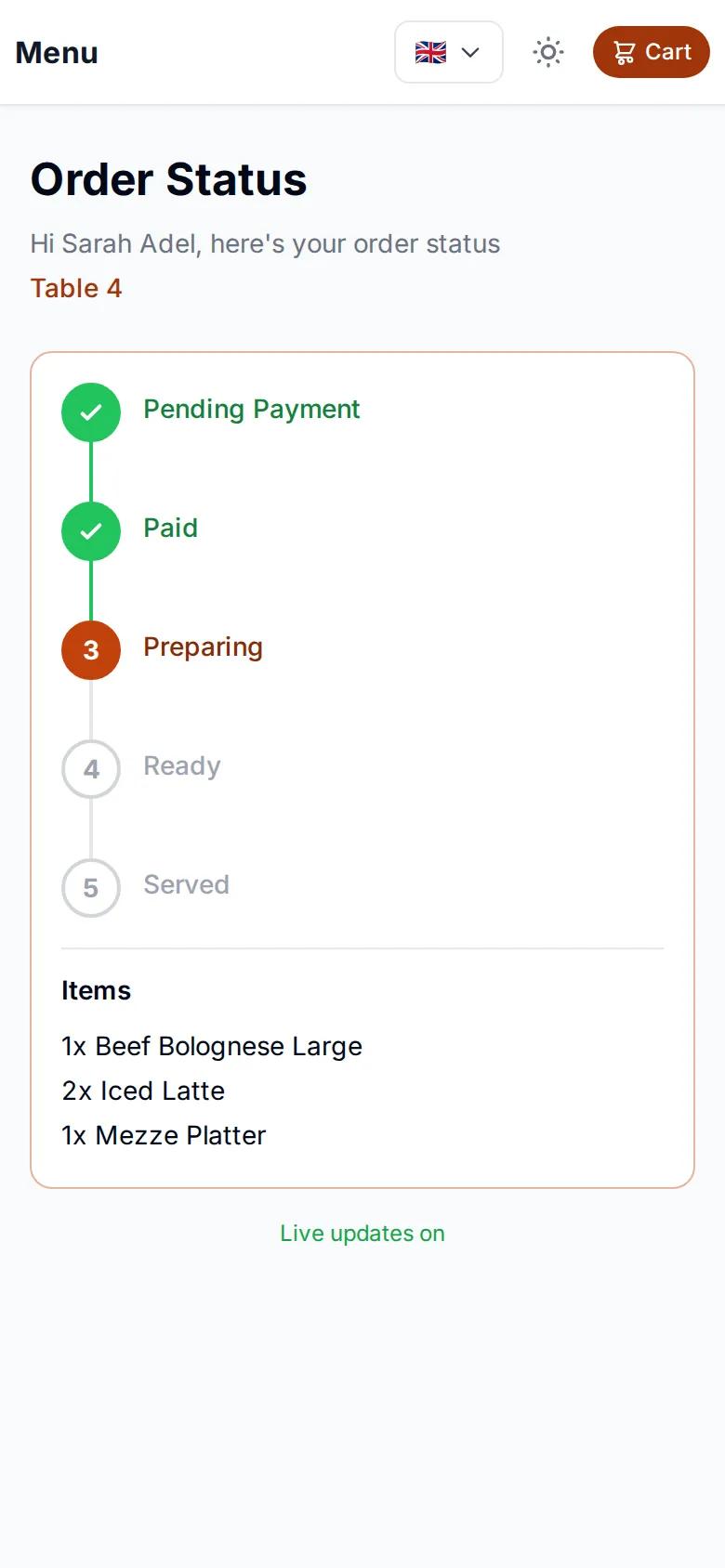
When a cook moves an order to preparing and then to ready, the tracking page on the guest's phone updates at the same moment. Guests know where their order is without stopping a waiter to ask.

Order tracking page on a guest's phone, updating with the kitchen display

Paper tickets, if you prefer paper

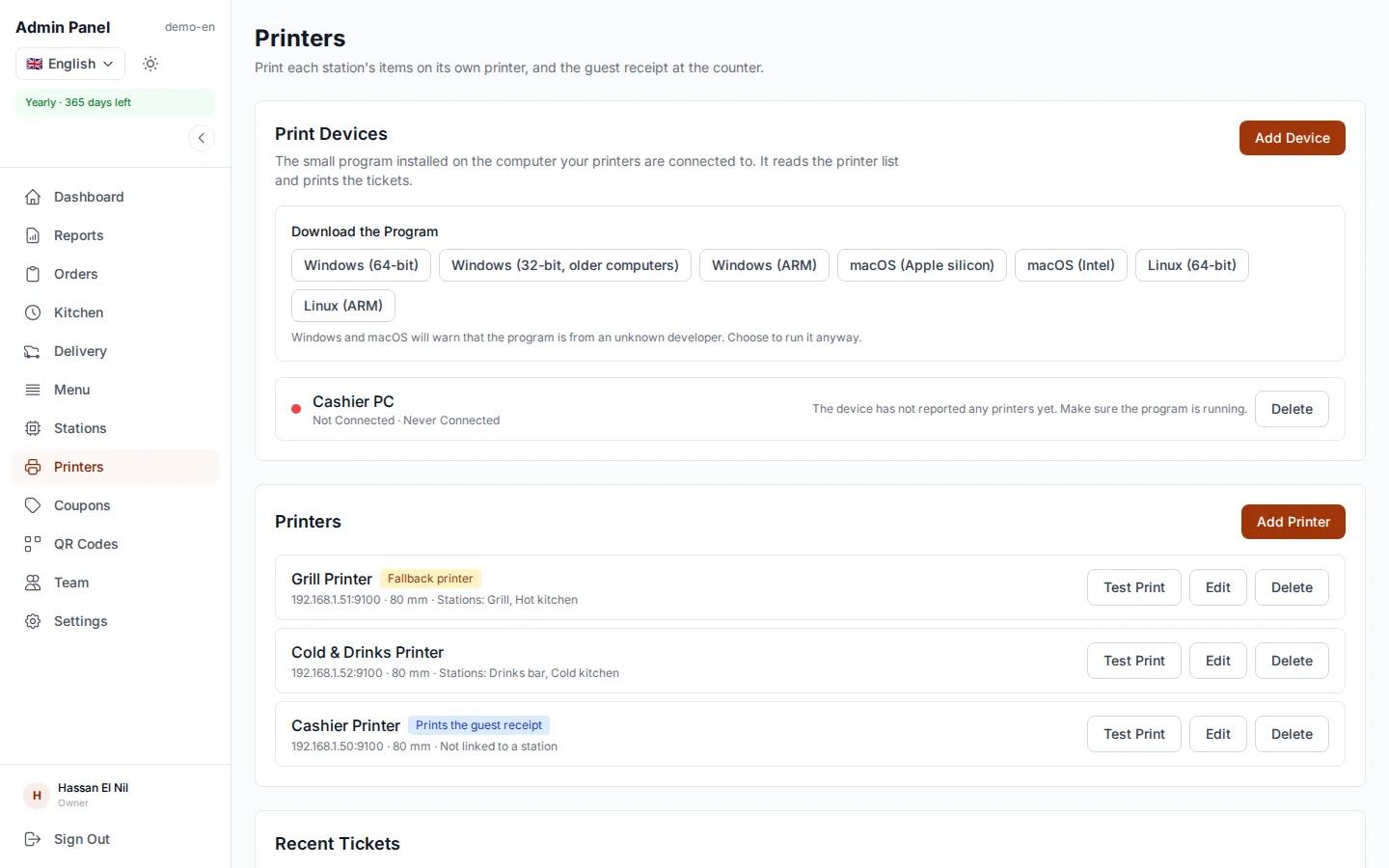
A printer is optional. If you want paper, each station gets its own ticket on its kitchen printer, and an itemized receipt with prices prints for the guest. A printer problem never holds up an order: the screens keep working even if a printer goes offline.

  • A ticket per station on its own printer
  • Itemized guest receipt with prices
  • Works with standard thermal receipt printers
egymenu.com
Kitchen printer settings in the restaurant dashboard

Kitchen display or paper tickets?

The difference shows during the rush, when orders pile up.

Paper and shoutingegymenu kitchen display
Getting the order inA waiter writes it down and walks it overOn screen the moment it is sent
AccuracyTickets get misreadExactly what the guest chose
Splitting itemsCooks sort items themselvesEach station sees only its items
Order statusNobody knows where it isFive clear statuses on the board
The guestAsks why the food is lateSees every step on their phone

How to set up the kitchen display

  1. 1

    Open it on any device

    A tablet or computer with a browser. No special hardware.

  2. 2

    Set up stations if you need them

    Link each menu category to a station, or use one screen for every order.

  3. 3

    Receive orders

    Guests order from their phone and the order shows up in the kitchen instantly.

Kitchen display questions

Do I need special hardware for the kitchen display?

No. The kitchen display runs on any tablet or computer with a browser, and the orders board also works on a phone.

Does the screen update by itself?

Yes. New orders and status changes appear live, without reloading the page.

Can each station see only its own items?

Yes. You link each menu category to a station, such as the grill or drinks, and each station sees only its items. The order is ready when every station has finished. Kitchen stations are enabled per restaurant, so ask us which plan fits you.

How much does the kitchen display cost?

The orders board and kitchen display are included in the monthly plan at $50 a month, with no commission on orders. Every plan includes a 7-day free trial.

Do guests know their order is being prepared?

Yes. Every tap in the kitchen updates the guest's tracking page: received, preparing, ready, delivered.

Can I print kitchen tickets as well?

Yes. A printer is optional. If you use one, each station gets a ticket on its own printer, plus an itemized receipt with prices for the guest.

More from egymenu

Put a kitchen display in your restaurant today

Try it free for 7 days. We set up your menu for you.