QR code menu for restaurants A QR code menu your guests can order from

The egymenu QR code menu is a digital menu guests order from, not just look at. They scan the code on the table with their phone camera, the menu opens in the browser with no app, and they choose their items and send the order with the table number attached. The order shows up on the orders board and the kitchen display at the same moment, and the guest follows it step by step. Plans start at $50 a month with no commission on orders, and there is a 7-day free trial.

Last updated:

egymenu.com
Table QR codes in a demo restaurant's dashboard
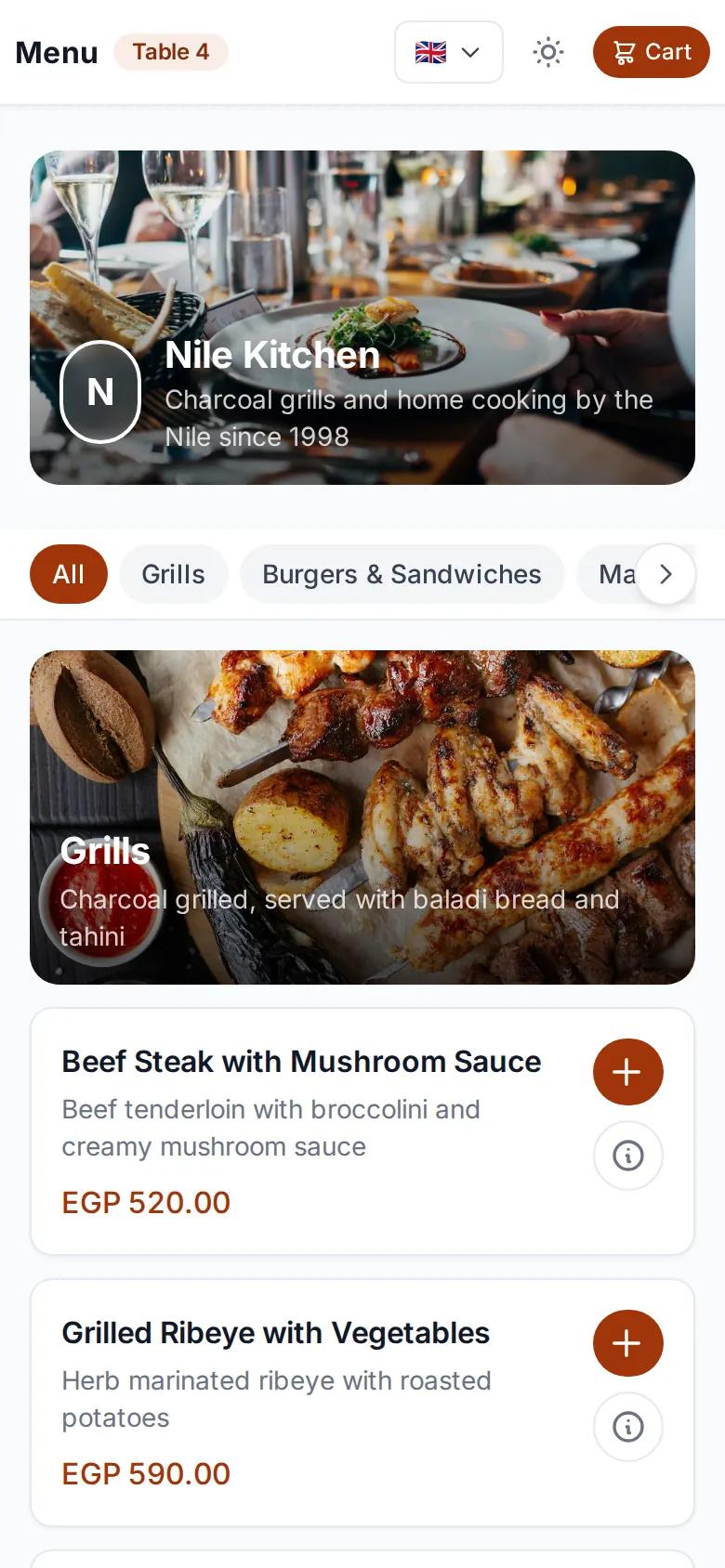
QR code menu open on a guest's phone
New order from table 4Just reached the kitchen

A menu on the guest's phone, no app needed

Guests scan the code and the menu opens right in the browser, with photos, categories and prices. No app to download, no account to create. Guests who don't read the default language pick theirs at the top of the page.

  • Photos, categories and prices, just like your printed menu
  • 15 languages for guests to choose from
  • Arabic displays right to left
The same QR code menu in English on the phone of a guest who picked their language

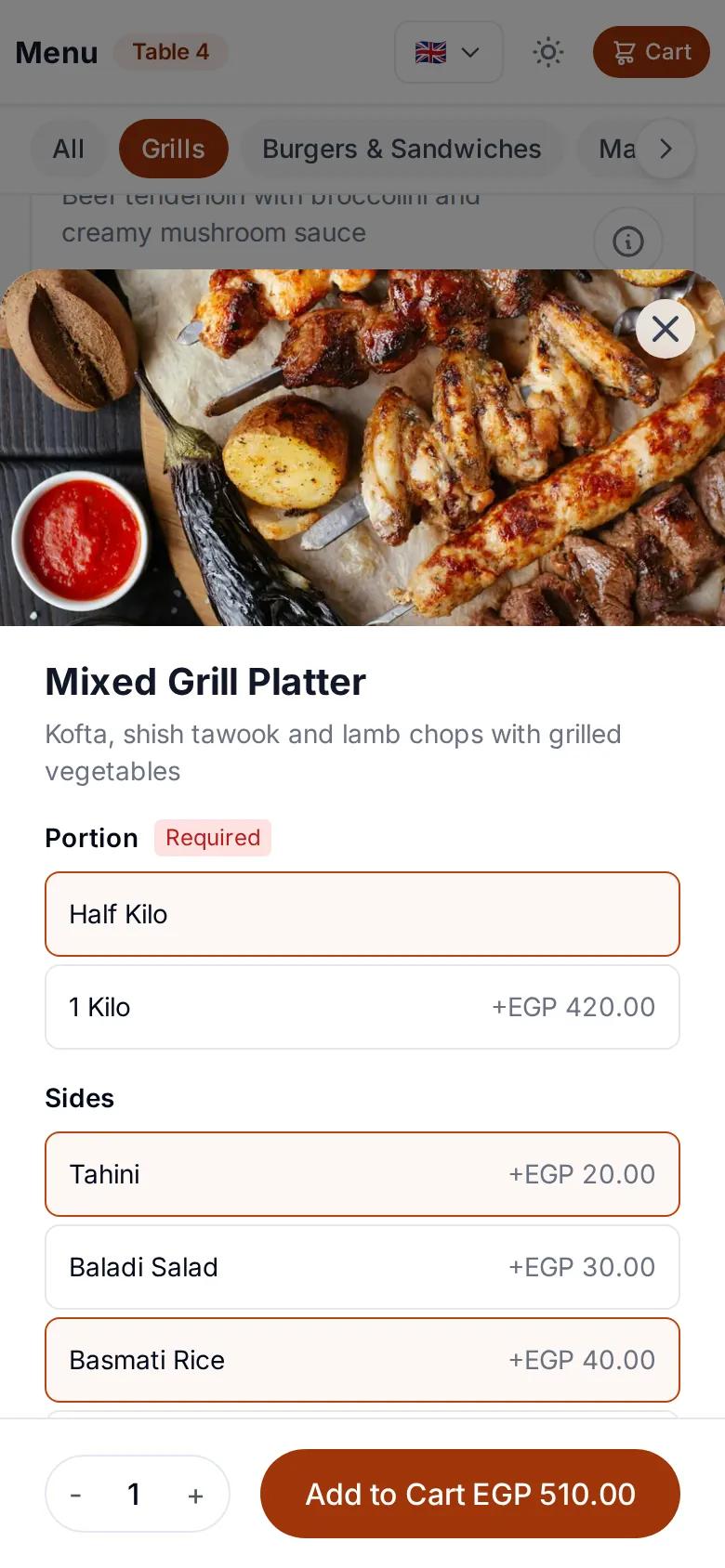
Sizes, extras and notes, the way the guest wants

Guests choose a size and extras, and add a note if they want something done differently. The price updates with every choice, so there are no mistakes in the total or in the order itself.

  • Sizes at different prices
  • Extras with their own prices
  • A note on every item
Choosing a size and extras for an item on the QR code menu

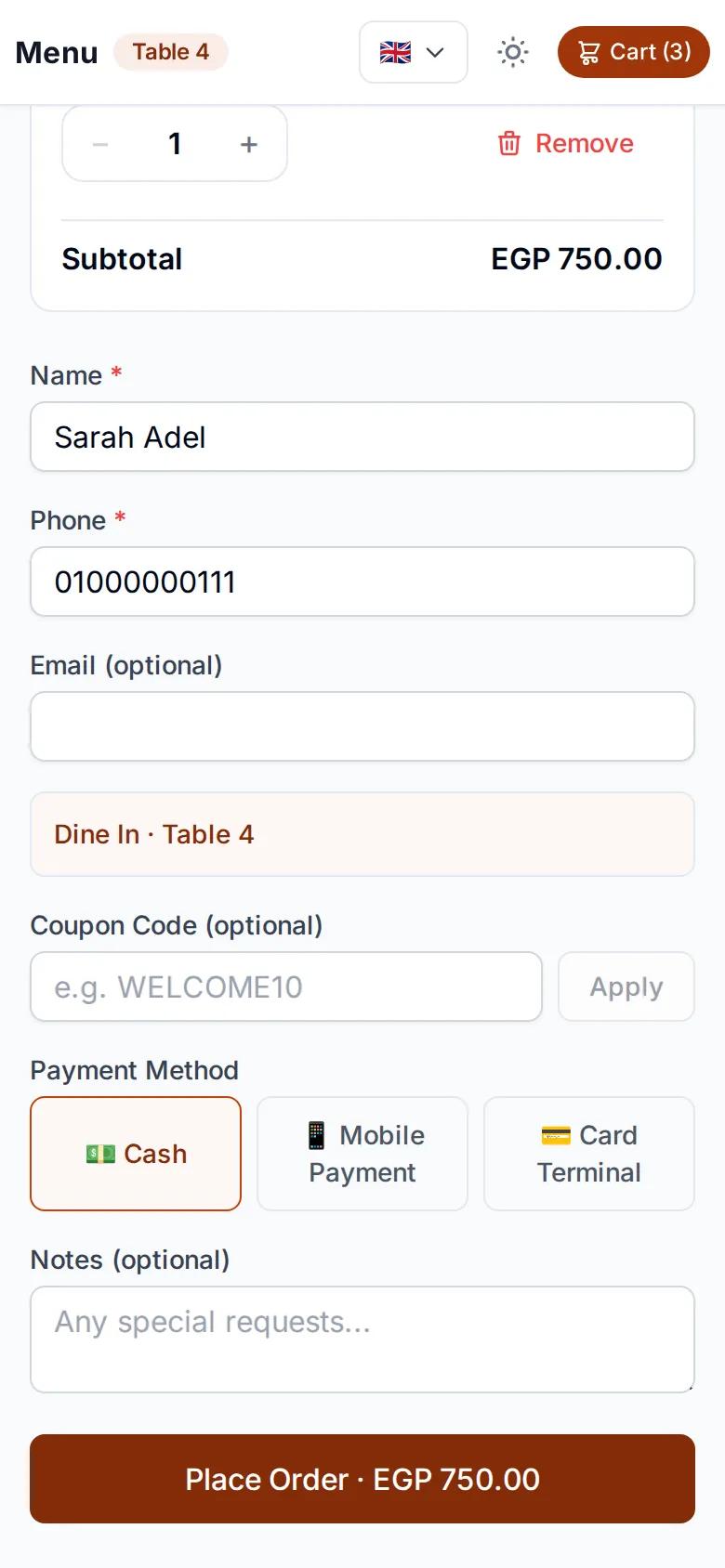
Order and pay from the table

The table number comes from the code, so guests never type it. They review the order, then pay with cash, QR payment or card on the terminal, depending on the payment methods you enable.

  • Table number captured from the code
  • Cash, QR payment or card on the terminal
  • Discount codes if you run offers
Checkout page with the table number and payment methods

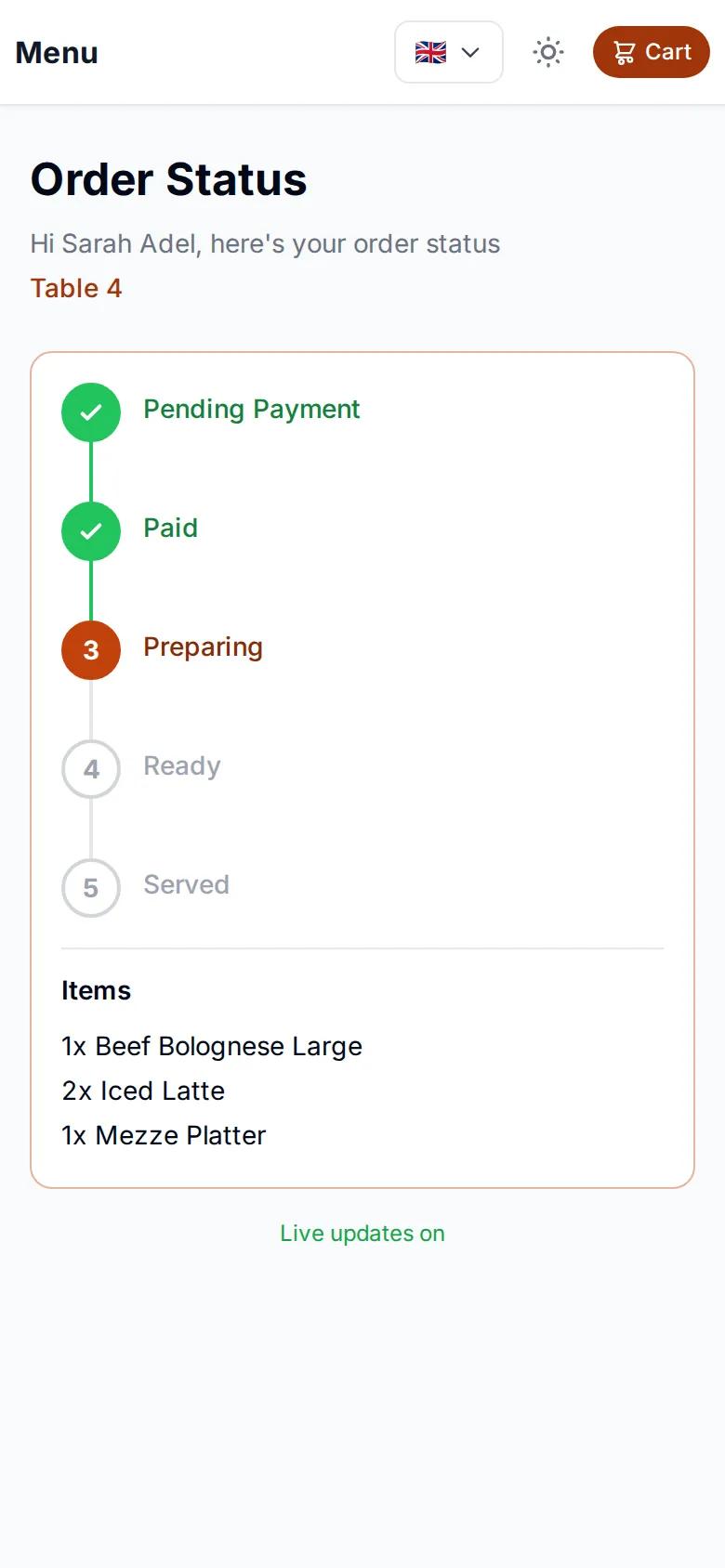
Guests follow their order live

After ordering, guests get a tracking page that updates on its own: received, preparing, ready, delivered. Nobody has to ask a waiter where the food is, because every step is on their phone.

Live order tracking page on a guest's phone

A QR code per table, plus pickup and delivery codes

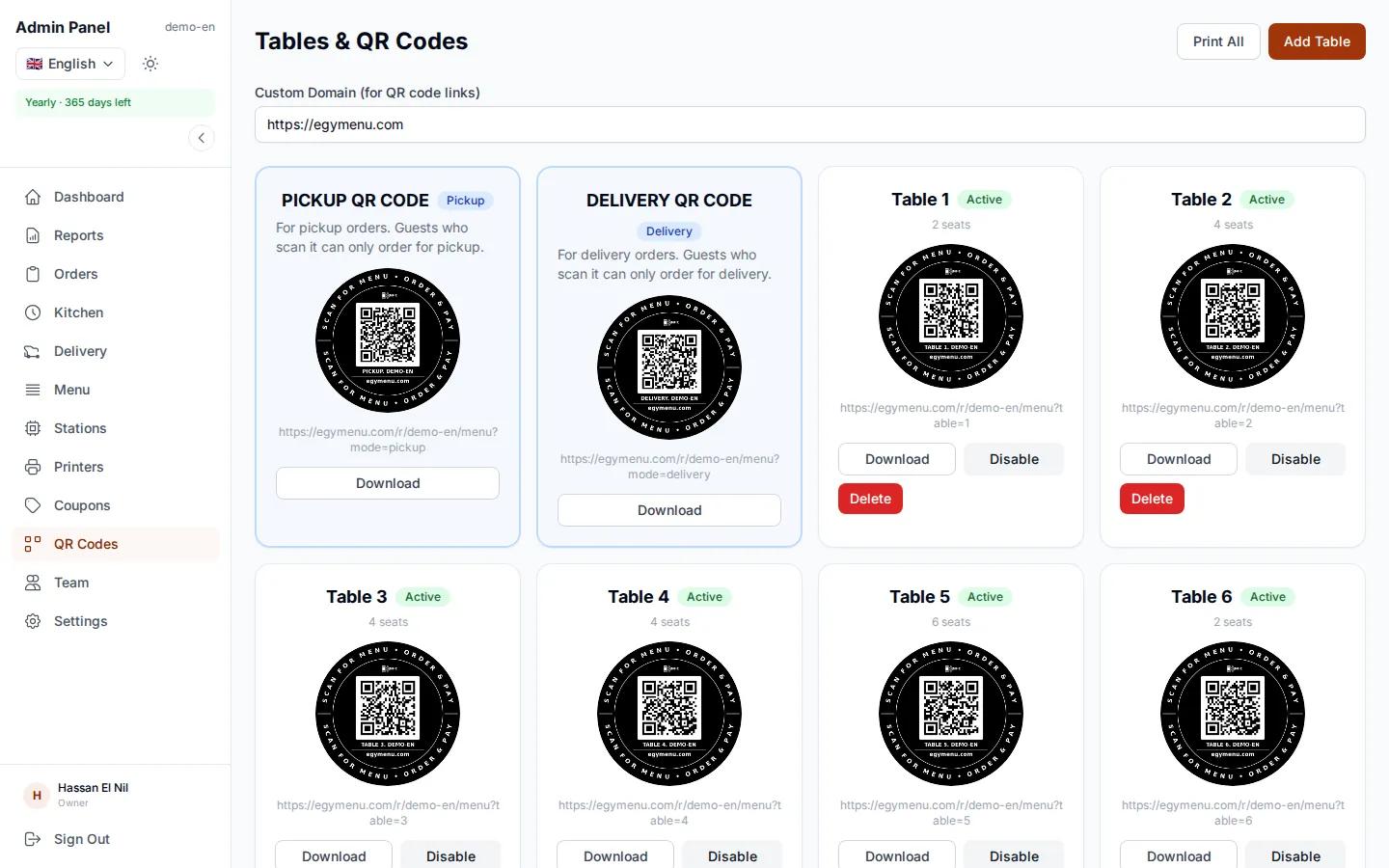
Add your tables in the dashboard and print a code for each one. There is also a pickup code and a delivery code to put on your door or your social media pages, so guests can order without a table.

  • One code per table, with its number
  • A pickup code and a delivery code
  • Print them and put them on the tables
egymenu.com
Table QR codes page in the dashboard

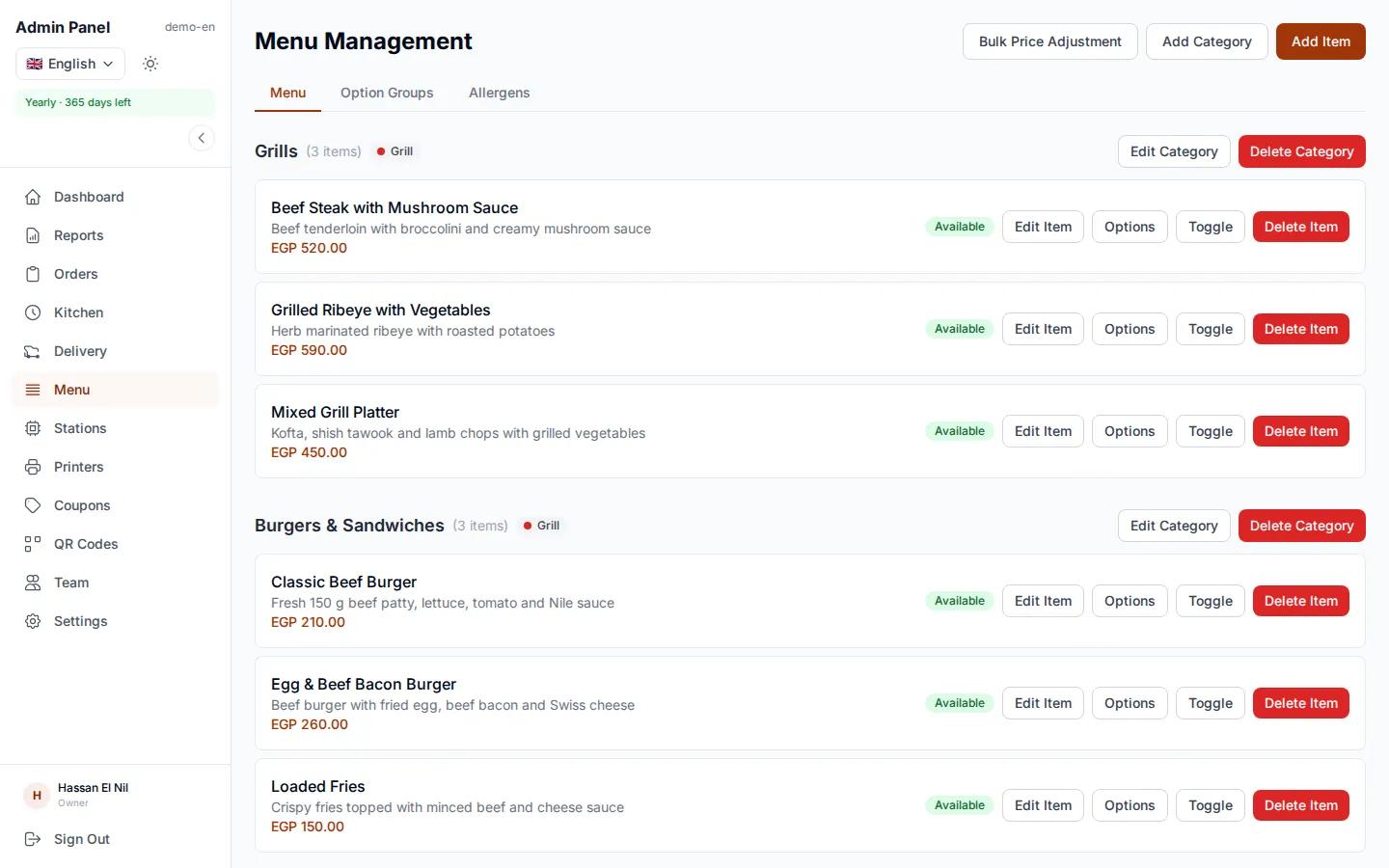
Change the menu and prices any time

In the dashboard you add items, change prices and switch off anything that has sold out. Guests see the change right away, with no new menus or codes to print. Send us a photo of your printed menu and we'll enter it for free.

  • Changes show up instantly
  • No reprinting
  • Free menu setup
egymenu.com
Menu editor in the restaurant dashboard

A view-only QR menu or a QR menu guests order from?

Most digital and QR menus out there are a page of photos. The difference shows up every single service.

View-only QR menuegymenu QR ordering menu
OrderingThe guest calls a waiter to orderThe guest orders from their own phone
Getting the order to the kitchenThe waiter writes it down and carries itIt appears on the kitchen display the moment it is placed
PricesThe waiter adds them upThe system calculates them
Order statusThe guest has to askThe guest sees every step
Menu changesEdit the file and upload it againFrom the dashboard, live right away

How to start using a QR code menu

  1. 1

    Send us your menu

    A photo of your printed menu is enough. We enter the categories, items and prices.

  2. 2

    Print your codes

    One code per table, one for pickup and one for delivery.

  3. 3

    Receive orders

    Orders arrive on the orders board and kitchen display, on any phone or tablet.

QR code menu questions

Do guests need to download an app to order from the QR code menu?

No. Guests scan the code with their phone camera, the menu opens in the browser and they order from it.

How much does the QR code menu cost?

The monthly plan is $50, with no commission on orders. There is a 7-day free trial before you choose a plan.

What if someone saves the table link and orders from outside the restaurant?

Switch on order location check in the settings and set the allowed distance. A dine-in or pickup order then only goes through when the guest is within that distance of the restaurant. Delivery orders are never checked.

Can I change prices after printing the codes?

Yes. Changes you make in the dashboard show up for guests immediately, and the printed codes stay the same.

How do guests pay?

With cash, QR payment or card on the terminal, depending on the payment methods you enable for your restaurant.

Is the menu available in more than one language?

The menu supports 15 languages and guests pick theirs. You choose which languages appear.

Do I need special hardware to receive orders?

No. The orders board and kitchen display run on any phone, tablet or computer with a browser. A printer is optional if you want paper tickets.

More in egymenu

Put a QR code menu on your tables today

Try it free for 7 days, and we'll set up your menu.